About Data Engineer OS
An operating-system template can give technical notes and project work a common starting point. This listing focuses on data engineering. Check the included sections against your actual responsibilities and keep production credentials and executable systems in their appropriate tools.
What’s included
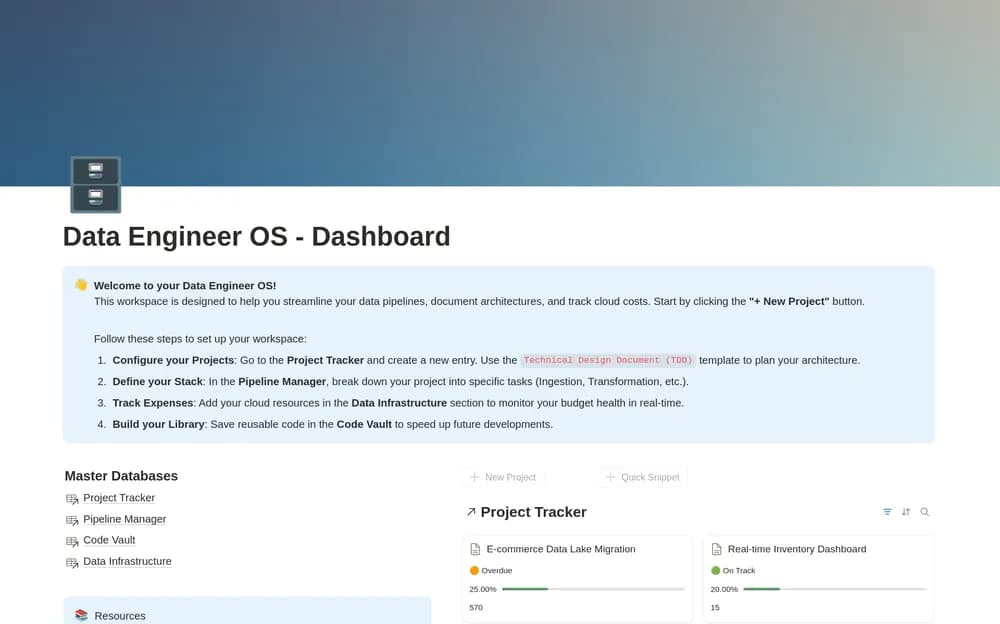
- A project tracker with task-linked progress and health indicators
- A pipeline-component board organized by priority and technology
- A code-snippet vault and a curated technical-resource collection
How to use it in practice
Document one active pipeline and the project work around it. Add the component’s purpose and relevant operational context, then connect its next technical task. Store reusable snippets with enough explanation to use them safely later. Review health indicators against the underlying tasks and dates before presenting them as project status.
Set it up in your workspace
- Open the original Notion Marketplace listing and add the template to your chosen workspace while signed in. Keep its example records until you understand how the pages connect.
- Choose one active data project and add its context and reference links. Test the navigation before importing older documentation.
- Try one complete example before adding a large backlog. Check that its views and any calculations show what you expect, then replace the sample content with your own.
Who it suits and what to consider
Data engineers keeping projects and technical context together. Useful for connecting engineering documentation with execution. Keep credentials and production secrets in the appropriate secret store rather than a shared code vault.