About Easy Notion To Do List
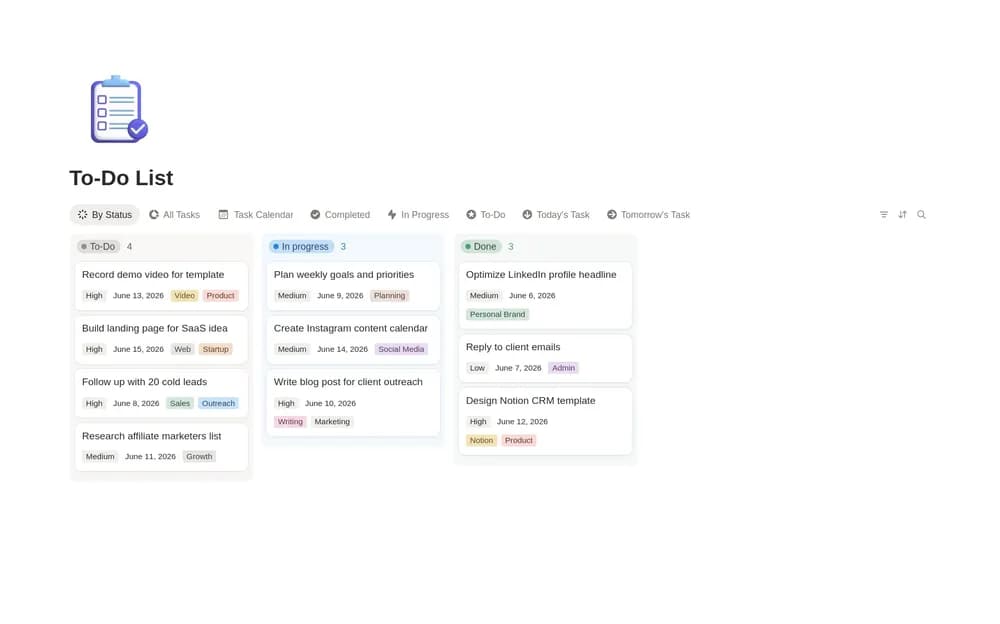
Keep everyday tasks on a simple Notion to-do board with priority and calendar groups, a monthly calendar view, and a separate finished-tasks list.
What’s included
- To-do board with Add to Calendar and High Priority groups
- Calendar view of dated tasks
- Finished tasks view
How to use it in practice
Add the tasks currently on your mind and move the urgent ones into the high-priority group. Give tasks with a fixed day a date so they appear on the calendar. Check items off as you finish them and open the finished view at the end of the week to see what got done. Delete the sample tasks once your own list is in place.
Set it up in your workspace
- Follow the original creator’s checkout or access instructions to obtain the Notion page. Open that page while signed in, then duplicate it into the workspace you want to use.
- Add the tasks currently on your mind and move the urgent ones into the high-priority group.
- Try one complete example before adding a large backlog. Check that its views and any calculations show what you expect, then replace the sample content with your own.
Who it suits and what to consider
Notion beginners who want a basic task list without setting up a larger productivity system. The listing describes little beyond its preview, which shows a board, calendar, and finished view, so expect a basic setup. Gumroad suggests a price, but entering zero is accepted.