About Event Speaker Bio Submission
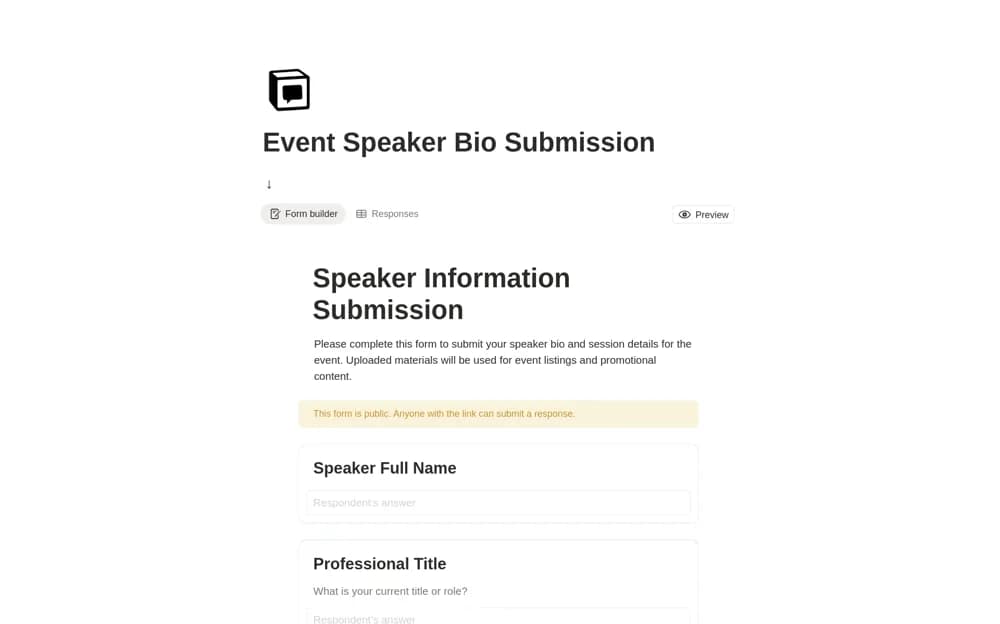
Collect speaker bios in a Notion form with session descriptions, headshots, profile links, contact details, and publication consent.
What’s included
- Speaker identity and organization fields
- Bio and session-description inputs
- Headshot upload and profile link
- Publication-consent confirmation
How to use it in practice
Adapt the form to the information your event actually needs and explain how the submissions will be used. Send a test response before inviting speakers, then review bios and assets for completeness. Confirm publication consent and ask the speaker to approve substantive changes before placing the biography on an event page.
Set it up in your workspace
- Open the original Notion Marketplace listing and add the template to your chosen workspace while signed in. Keep its example records until you understand how the pages connect.
- Adapt the form to the information your event actually needs and explain how the submissions will be used.
- Try one complete example before adding a large backlog. Check that its views and any calculations show what you expect, then replace the sample content with your own.
Who it suits and what to consider
Speakers organizing panels and event teams gathering consistent presenter information. This is event intake rather than a personal speaking-business CRM. Review form access, uploads, and publication arrangements in your workspace.