 Free
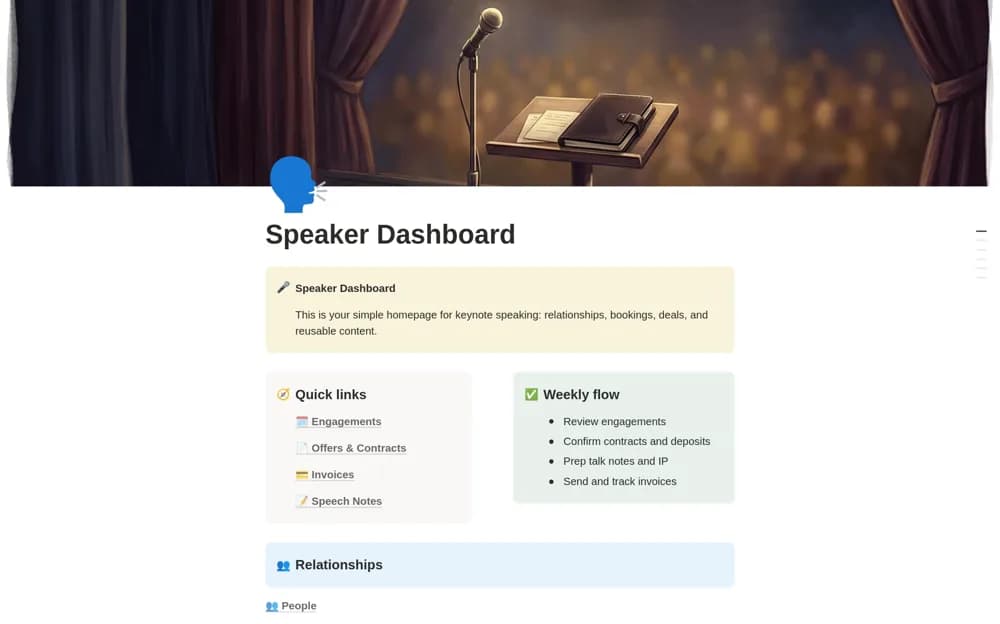
FreeKeynote Speaker Dashboard
A speaking-business workspace connecting engagements, clients, offers, contracts, invoices, speech notes, and an intellectual-property library, with calendar, pipeline, and money views.
Track speaking opportunities and prepare for confirmed engagements. Compare Notion templates for speakers organizing pitches, client details, talk materials, and the commercial work around an event.
Showing 1–2 of 2 templates
A little structure goes a long way.FreeA speaking-business workspace connecting engagements, clients, offers, contracts, invoices, speech notes, and an intellectual-property library, with calendar, pipeline, and money views.
 Paid
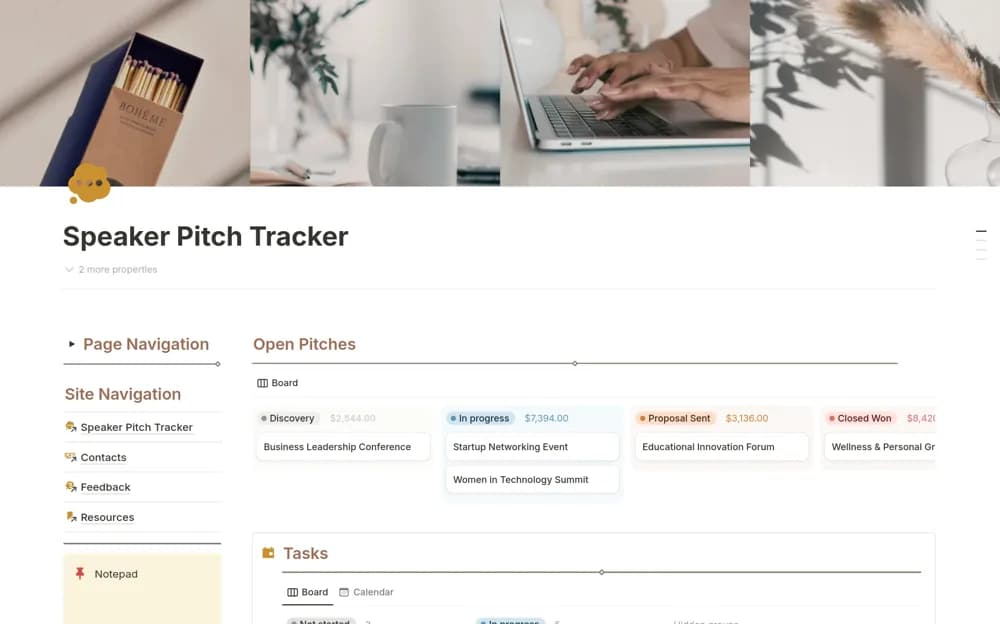
PaidA paid speaking-opportunity tracker organizing pitches, responses, client contacts, proposals, presentation materials, follow-up tasks, and event countdowns.
Compare the purpose and included features before choosing a workspace.
Professional speakers and their assistants coordinating bookings and reusable talk material.
Professional speakers and small speaker teams keeping prospective engagements separate from confirmed work.
Follow one opportunity from first pitch through confirmation and delivery. Record the audience, event date, decision maker, agreed fee, and materials required. Keep a reusable library of talk ideas separate from the version prepared for a particular event. A pitch tracker and a full speaking-business dashboard have different scope; choose according to the coordination you need. Check follow-up dates rather than treating every unanswered proposal as a booking.
Pitch and engagement stages
Event-specific preparation
Reusable talk and client records
About the directoryTrack pitches with the recipient, proposed topic, response, and next action. Once confirmed, record the actual audience, timing, materials, contract, and fee. Link reusable stories or slides to the event-specific version. Review hold dates and preparation deadlines together so a promising opportunity does not create a scheduling conflict.
A pitch tracker emphasizes opportunities, responses, proposals, and follow-up. A wider speaker dashboard can also connect confirmed engagements, contracts, invoices, clients, and reusable intellectual property. Compare the included pages before choosing.
Yes. This collection currently includes 1 listing with a confirmed free creator offer, alongside 1 paid or freemium option. Use the Free filter to compare them. A free version can have different features from a creator’s paid upgrade, so check the original listing and current access terms before adding it to your workspace.