About Expense & Budget Tracker
An expense tracker should make the relationship between a planned budget and actual spending understandable. This listing offers another layout to explore. Test the categories and calculations with a small sample, and keep personal and business records separate if you use it for both.
What’s included
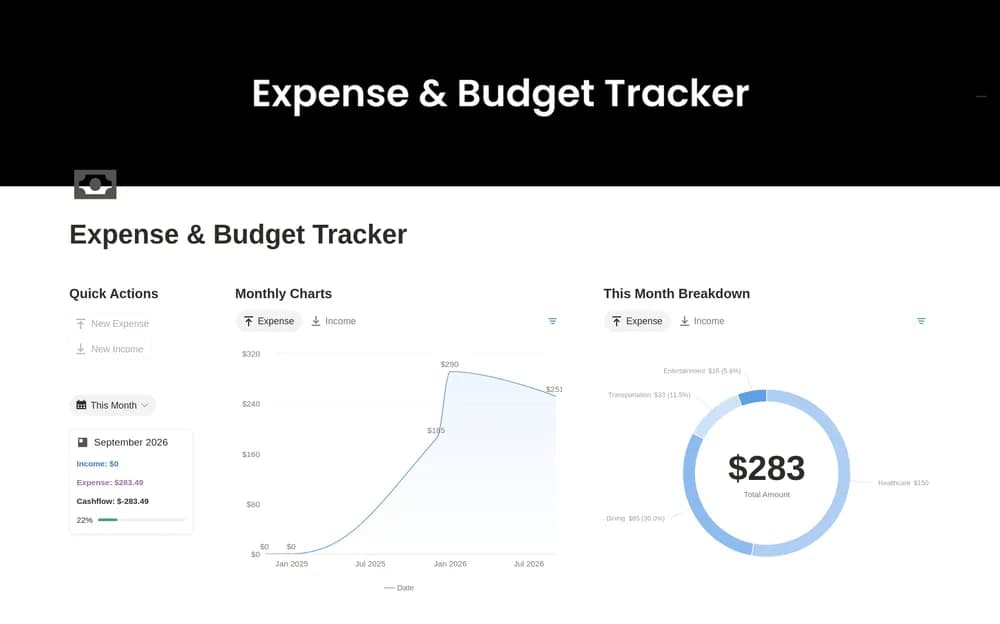
- Quick-entry database buttons for income and expenses
- Category budgets with remaining balances
- Monthly charts, full-year cards, and income-source organization
How to use it in practice
Try one month of known records and reconcile the category totals with your statements. Use the quick-entry buttons only after checking the fields they set. Review a chart alongside the underlying entries so a refund or transfer does not create a misleading trend. Add the rest of the year after the first month behaves as expected.
Set it up in your workspace
- Open the original Notion Marketplace listing and add the template to your chosen workspace while signed in. Keep its example records until you understand how the pages connect.
- Try one reporting period with sample entries. Compare the total with the underlying records before expanding the setup.
- Try one complete example before adding a large backlog. Check that its views and any calculations show what you expect, then replace the sample content with your own.
Who it suits and what to consider
People comparing practical finance-tracking layouts. Useful for category limits and a visual overview. Confirm current Notion chart availability and any workspace requirements before relying on the embedded reporting views.