About Freelance Developer OS
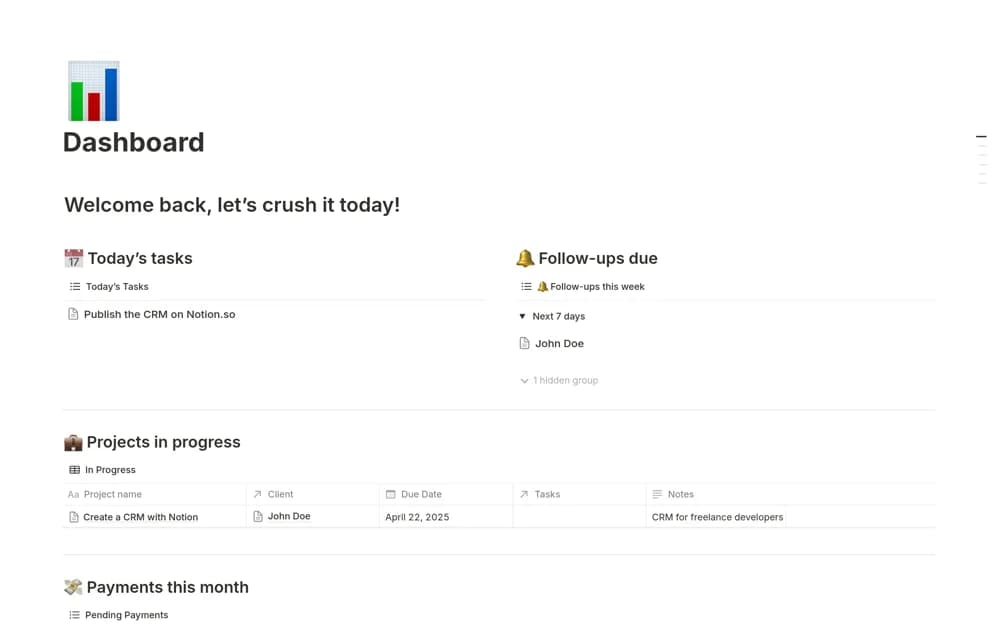
A freelance developer CRM linking clients, projects, tasks, payments, monthly goals, and a working dashboard.
What’s included
- Client and lead records
- Projects linked to tasks and payments
- Daily dashboard, monthly goals, and payment views
How to use it in practice
Trial an active client and one project with a few deliverables. Check that related tasks and payments appear under the right project, then use the daily view for actual follow-up. Keep financial totals reconciled with your invoicing and banking records.
Set it up in your workspace
- Open the original Notion Marketplace listing and add the template to your chosen workspace while signed in. Keep its example records until you understand how the pages connect.
- Trial an active client and one project with a few deliverables.
- Try one complete example before adding a large backlog. Check that its views and any calculations show what you expect, then replace the sample content with your own.
Who it suits and what to consider
Independent developers managing client delivery and business follow-up together. The creator also offers a separate Pro version; confirm which features are included in the current free listing.