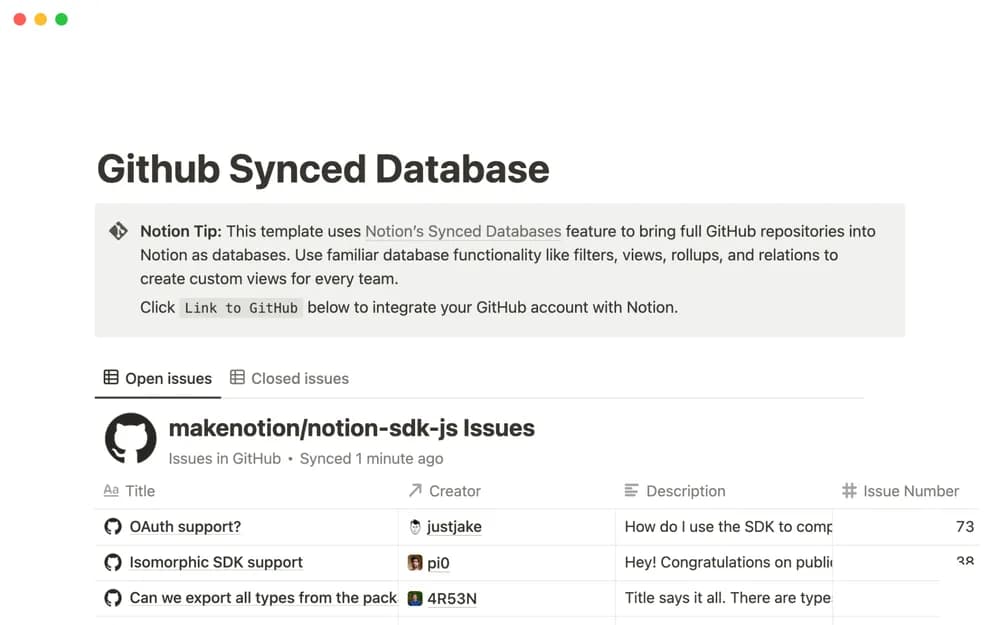
About Github Synced Database
A synced database can bring information from another tool into a shared workspace. This Notion-made listing is a starting point for GitHub-related work. Read the current connection requirements and permissions, then test with a repository appropriate for the people who can access the Notion page.
What’s included
- A synced database bringing GitHub repository information into Notion
- Notion filters and views over the synced records
- Relations and rollups for team-specific context
How to use it in practice
Connect an appropriate repository with the permissions required by the current integration. Check a known issue or pull request and observe how updates appear in Notion. Build a team view around the information people need for planning. Keep the source repository easy to reach so technical discussion retains its original context.
Set it up in your workspace
- Open the original Notion Marketplace listing and add the template to your chosen workspace while signed in. Keep its example records until you understand how the pages connect.
- Review the integration requirements and use a suitable test repository. Confirm what information appears and who can see it.
- Try one complete example before adding a large backlog. Check that its views and any calculations show what you expect, then replace the sample content with your own.
Who it suits and what to consider
Teams connecting GitHub context with Notion work. Useful for connecting repository work with a wider Notion workspace. Confirm current plan, integration, and repository-access requirements before setup.