About Internal FAQs
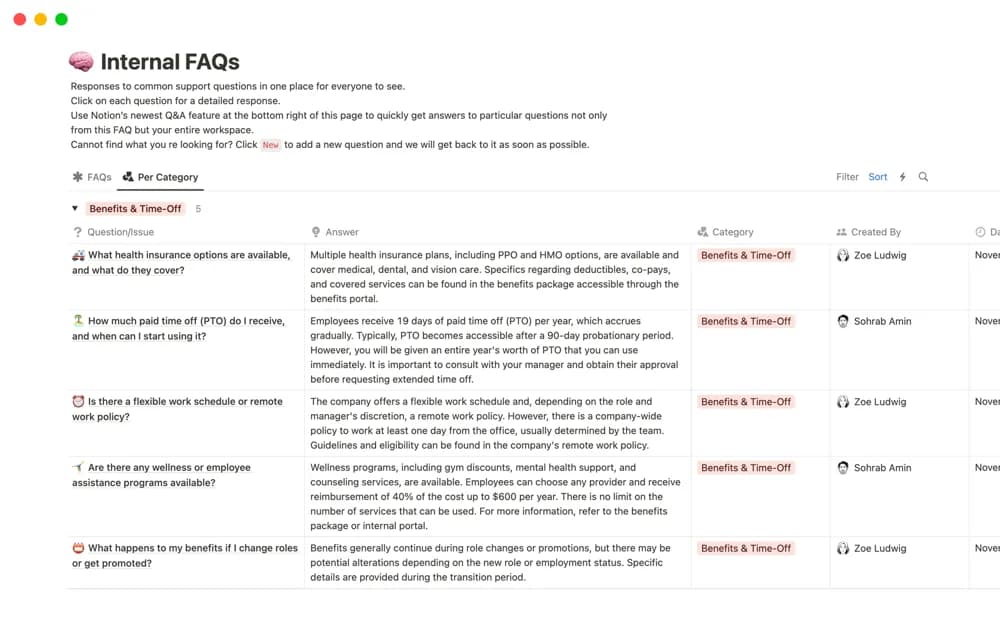
Keep company questions and answers in a shared Notion table, with responsible people, detailed responses, and optional AI summaries.
What’s included
- Shared employee question table
- Responsible-person tagging
- Detailed answer pages
- Optional AI-generated short answers
How to use it in practice
Add a repeated employee question and tag the person qualified to answer it. Write the full response with the relevant policy link, then check any short summary against that explanation. Review the table when policies change so old answers do not compete with the current guidance.
Set it up in your workspace
- Open the original Notion Marketplace listing and add the template to your chosen workspace while signed in. Keep its example records until you understand how the pages connect.
- Add a repeated employee question and tag the person qualified to answer it.
- Try one complete example before adding a large backlog. Check that its views and any calculations show what you expect, then replace the sample content with your own.
Who it suits and what to consider
Teams building an internal question library that employees can contribute to and revisit. AI summaries depend on workspace access and need review. Keep private employee details out of answers intended for the whole company.