About Interview kit
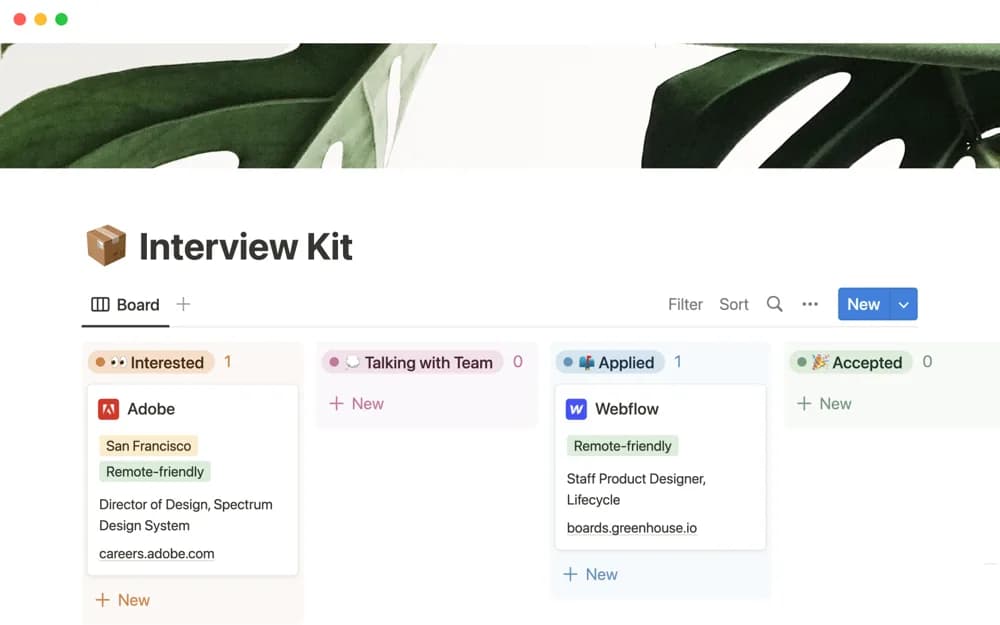
Track the roles you are considering in Notion, keeping position notes and interview progression together during a job search.
What’s included
- Records for positions of interest
- Notes for each opportunity
- Interview progression tracking
How to use it in practice
Add one role you would seriously consider, then collect the details you want to remember about the position. Record the current interview step and update your notes after each conversation. Before a follow-up, reread the role’s history so you do not repeat questions already answered.
Set it up in your workspace
- Open the original Notion Marketplace listing and add the template to your chosen workspace while signed in. Keep its example records until you understand how the pages connect.
- Add one role you would seriously consider, then collect the details you want to remember about the position.
- Try one complete example before adding a large backlog. Check that its views and any calculations show what you expect, then replace the sample content with your own.
Who it suits and what to consider
Job candidates keeping a clear record of several opportunities at the same time. This is candidate-side organization. It is not an employer applicant-tracking system or a documented interview-question library.