About Journals with Mood Tracker and Calendar
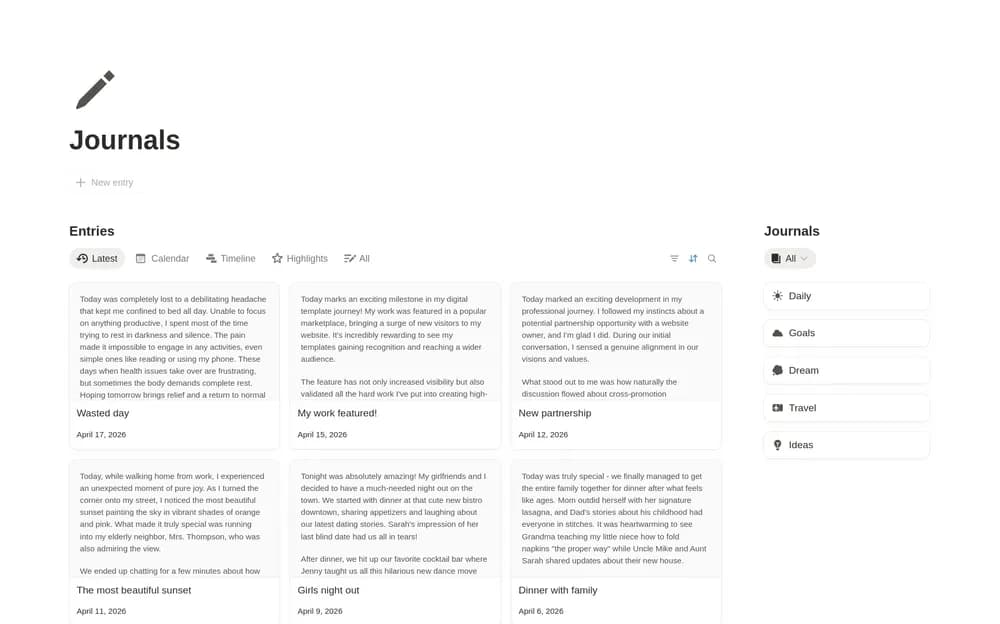
Keep several journals in one Notion workspace, tagging each entry with a color-coded mood and reviewing entries on a calendar and timeline.
What’s included
- Multiple journal categories such as Daily, Goals, Dream, and Travel
- Color-coded mood tags on each entry
- Calendar view of entries and moods
- Chronological timeline
- Highlights for milestones and an archive for inactive journals
How to use it in practice
Keep the Daily journal and one other category that matches how you already write. Make an entry each day for a week and tag a mood honestly, even on neutral days. Mark anything significant as a highlight. At the end of the week, open the calendar view and see whether the colors suggest a pattern worth noting.
Set it up in your workspace
- Open the original Notion Marketplace listing and add the template to your chosen workspace while signed in. Keep its example records until you understand how the pages connect.
- Keep the Daily journal and one other category that matches how you already write.
- Try one complete example before adding a large backlog. Check that its views and any calculations show what you expect, then replace the sample content with your own.
Who it suits and what to consider
Journalers who write in different modes, such as daily, dream, or travel entries, and want mood patterns visible. Moods are single tags you choose, so the calendar reflects labels rather than a detailed mood scale. The listing does not mention writing prompts, so entries start from a blank page.