About Minimalist Weekly Planner
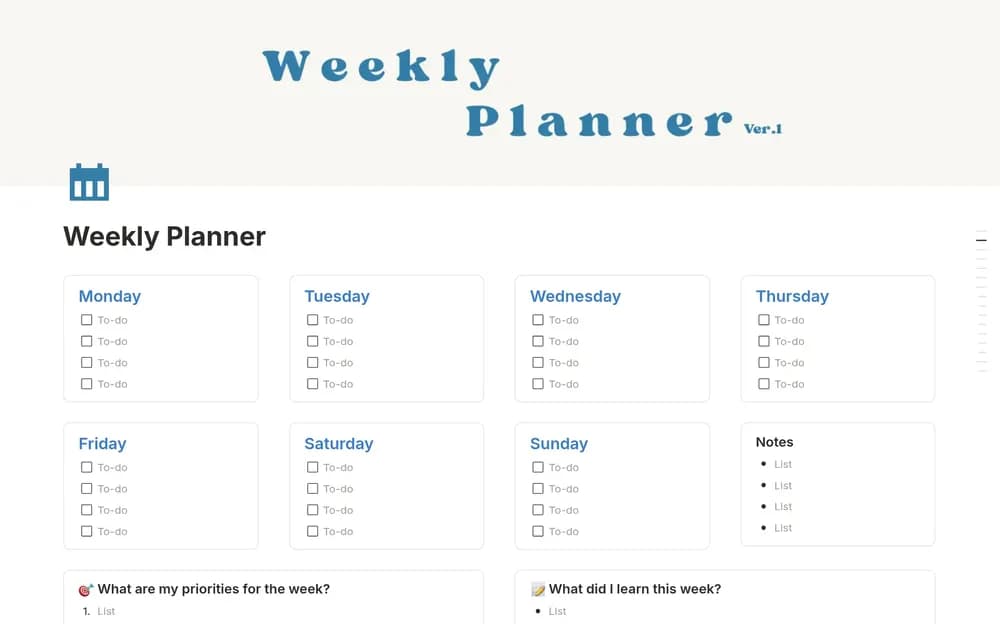
Give each day of the week its own Notion to-do list, then close the week with a reflection on wins and lessons plus a notes section for ideas.
What’s included
- Seven daily to-do lists
- Weekly reflection for wins and learnings
- Notes section for ideas and reminders
How to use it in practice
Fill each day’s list with only the priorities you expect to reach. Capture stray ideas in the notes section instead of adding them to the day lists. On the last day of the week, write two wins and one lesson in the reflection area, then clear the lists for the next week.
Set it up in your workspace
- Open the original Notion Marketplace listing and add the template to your chosen workspace while signed in. Keep its example records until you understand how the pages connect.
- Fill each day’s list with only the priorities you expect to reach.
- Try one complete example before adding a large backlog. Check that its views and any calculations show what you expect, then replace the sample content with your own.
Who it suits and what to consider
People building a simple weekly review habit who do not need projects or databases. With only three parts, it lacks due dates, priority properties, or a record of past weeks unless you duplicate the page. It suits personal planning more than tracking long projects.