About My Shopping Wishlist
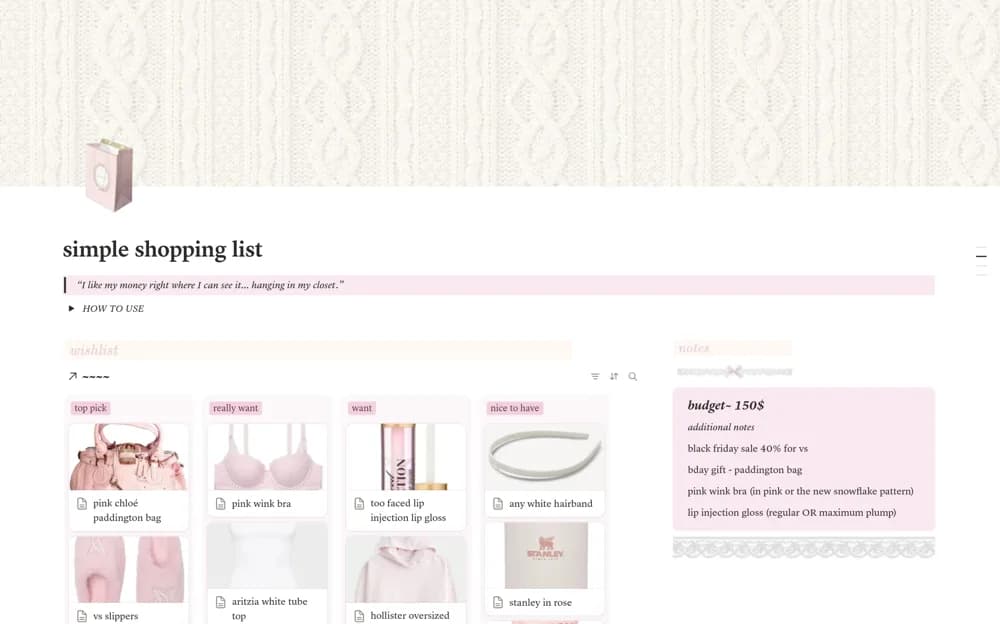
Prioritize future purchases in a shareable Notion shopping wishlist with categories, prices, budget goals, and a record of what you have bought.
What’s included
- Shareable wishlist
- Price tracking against budget goals
- Item categories
- Priority levels
- Purchase and spending tracking
How to use it in practice
Enter the things you are thinking of buying this month, each with a price, category, and priority. Set a budget goal and compare it with the total of your high-priority items. Wait a few days before buying, then mark purchases as they happen and review what you actually spent at the end of the week.
Set it up in your workspace
- Open the original Notion Marketplace listing and add the template to your chosen workspace while signed in. Keep its example records until you understand how the pages connect.
- Enter the things you are thinking of buying this month, each with a price, category, and priority.
- Try one complete example before adding a large backlog. Check that its views and any calculations show what you expect, then replace the sample content with your own.
Who it suits and what to consider
Budget-conscious shoppers and anyone sharing a wishlist with family. Prices are entered manually, and the listing does not mention deal alerts despite its focus on smarter buying decisions.