About Notion Bookmark Manager
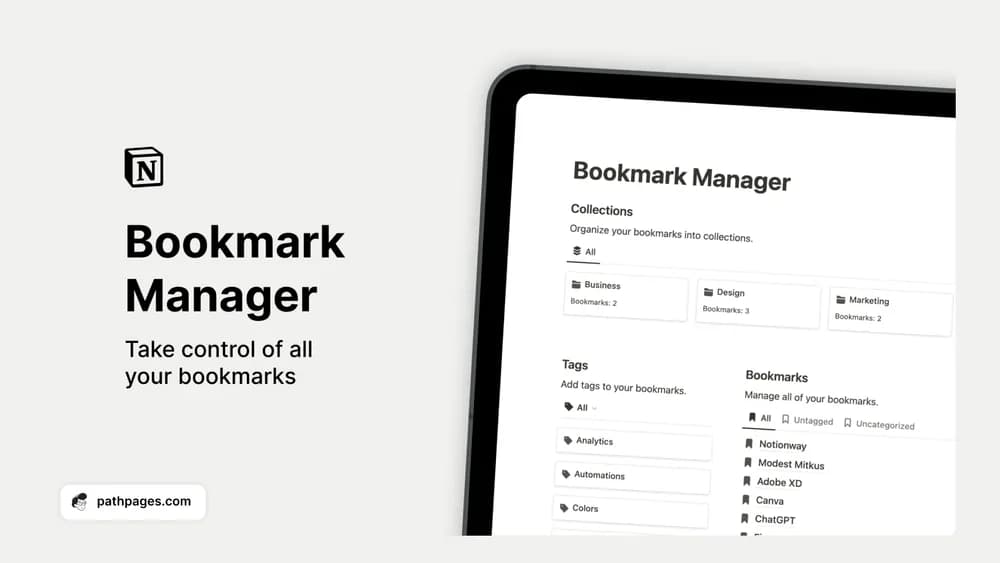
This bookmark manager is useful when a saved link needs more context than its page title provides. Collections and tags give you different ways to find things again. Keep the structure small enough that adding a new bookmark remains quick.
What’s included
- Saved web links collected in one Notion workspace
- Collections such as business, design, or personal
- Topic tags and filtering for browsing saved resources
How to use it in practice
Save a link with a sentence explaining why it matters. Put references for a current project in a collection you will actually open, then review older bookmarks before adding more. If the resource is long, note the relevant section or timestamp. That small amount of context saves you from reopening every link to remember what you intended to do with it.
Set it up in your workspace
- Get the template link from PathPages. Its free-template pages ask you to create an account for access. Open the delivered Notion page and duplicate it into your workspace.
- Save five links you actually expect to use. Add one sentence explaining why each belongs in the collection.
- Try one complete example before adding a large backlog. Check that its views and any calculations show what you expect, then replace the sample content with your own.
Who it suits and what to consider
People collecting references for work, study, or personal interests. Choose it for a curated link library. A bookmark keeps a destination and your notes; it should not be assumed to preserve an offline copy of the entire linked page.