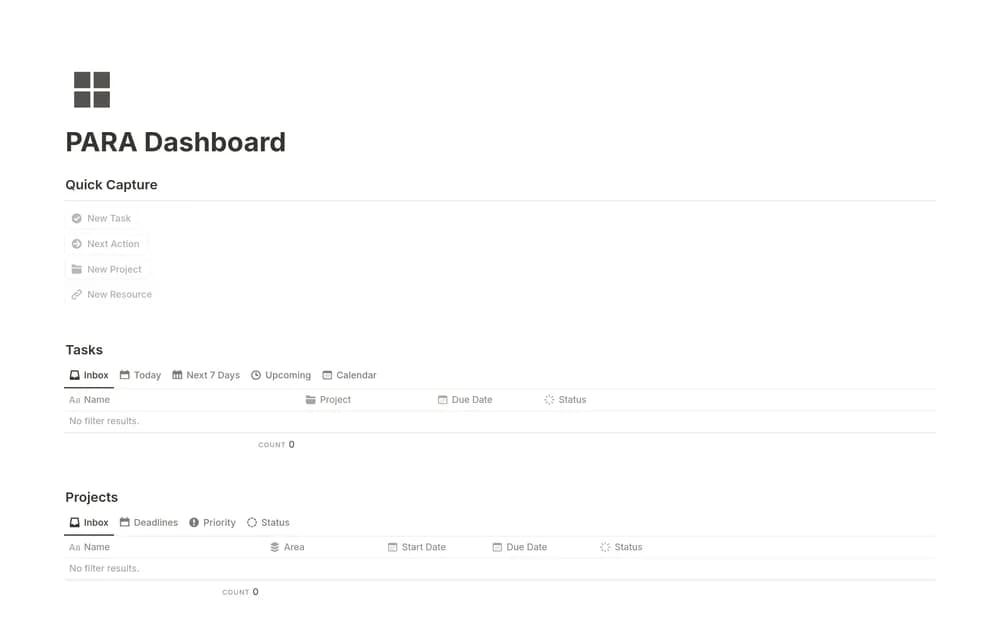
About PARA Dashboard
PARA groups information by how it supports your current commitments. Easlo’s dashboard is one way to bring that approach into Notion. Try the structure with a small collection of real notes, and decide when you will review the inbox before migrating a larger archive.
What’s included
- Projects, Areas, Resources, and Archive organization
- Tasks connected to project work
- An Archive checkbox that moves less relevant records into archive views
How to use it in practice
Create an area for an ongoing responsibility and a project with a specific outcome. Connect the next tasks and a useful resource to that project. During a review, archive completed or inactive material so the working views remain clear. Use areas for continuing responsibilities and projects for work that can actually finish.
Set it up in your workspace
- Open the original Notion Marketplace listing and add the template to your chosen workspace while signed in. Keep its example records until you understand how the pages connect.
- Add a current project, an ongoing responsibility, and a few references. Practice finding the information again before importing more.
- Try one complete example before adding a large backlog. Check that its views and any calculations show what you expect, then replace the sample content with your own.
Who it suits and what to consider
People who want a clear organizing principle for notes and projects. A practical PARA starting point for personal organization. Begin with a small active collection before importing a large archive.