About Finance Tracker Pro
A finance system earns trust when its inputs and totals are understandable. This tracker from Notion Everything is built around organizing money information. Review the current feature list and any integration requirements, then test the calculations with sample records before relying on the dashboard.
What’s included
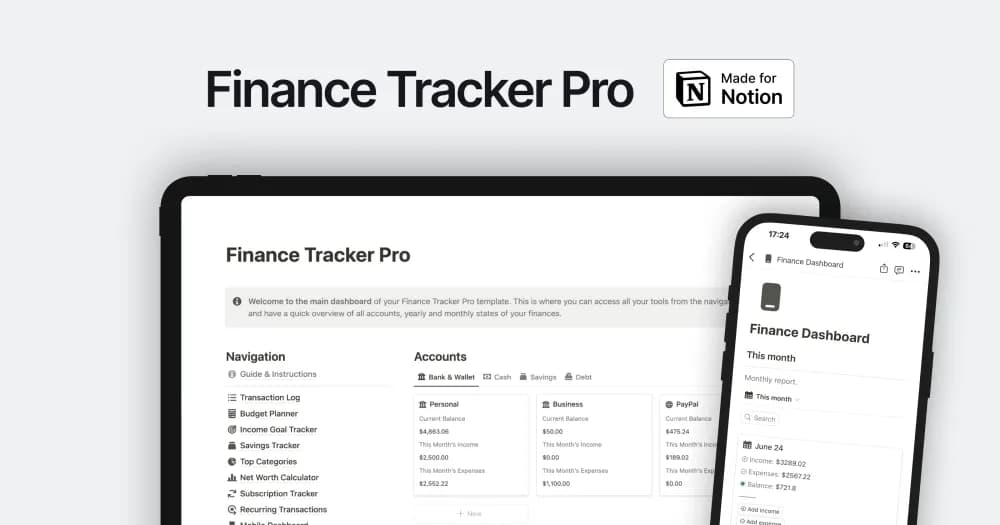
- Income, expense, and transfer records across multiple accounts
- Monthly and yearly reports with category summaries
- Budgets, income goals, and recurring-transaction entry tools
How to use it in practice
Set up one account and a short period of known transactions first. Check starting balances and transfer treatment so moving money between accounts does not inflate income or spending. Compare the monthly report with your actual records, then add the remaining accounts. Review budgets and goals alongside the transactions that explain progress.
Set it up in your workspace
- Follow the original creator’s checkout or access instructions to obtain the Notion page. Open that page while signed in, then duplicate it into the workspace you want to use.
- Try a single reporting period and check the totals against the records behind them. Keep personal and business information distinct where your situation requires it.
- Try one complete example before adding a large backlog. Check that its views and any calculations show what you expect, then replace the sample content with your own.
Who it suits and what to consider
People looking for a broader financial-record workspace. Useful for a connected finance record with several reporting views. Keep a reconciliation routine and confirm any import or bank-connection requirements separately from the advertised manual-entry tools.