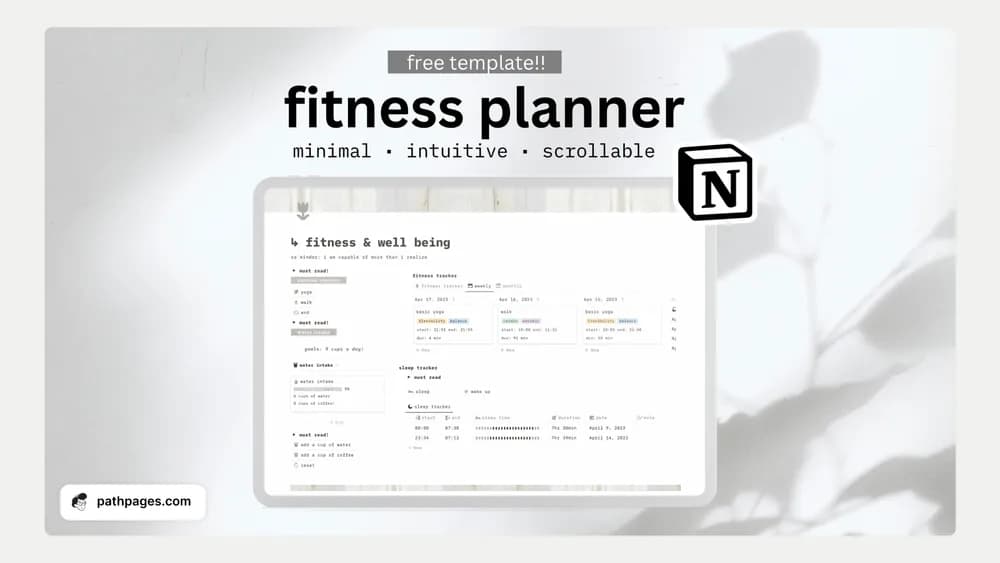
About Notion Fitness & Wellness Planner
This listing brings fitness and wellness planning into a Notion workspace. Check the preview for the type of records it supports and keep the first setup modest. The template can help organize a routine, while exercise and health decisions should reflect your own needs and appropriate professional guidance.
What’s included
- A fitness-activity tracker
- A sleep tracker
- Water-intake and water-count trackers in the creator’s listed workspace
How to use it in practice
Use the tracker to record the routines you already follow. Keep entries consistent enough to review, such as recording sleep with the same time convention each day. After a week, check whether the layout helps you remember what happened without creating a burdensome logging routine. Adapt the labels to your own goals rather than treating sample targets as requirements.
Set it up in your workspace
- Follow the original creator’s checkout or access instructions to obtain the Notion page. Open that page while signed in, then duplicate it into the workspace you want to use.
- Try logging a routine you already follow. Review the record after a week to see which details are actually useful.
- Try one complete example before adding a large backlog. Check that its views and any calculations show what you expect, then replace the sample content with your own.
Who it suits and what to consider
People organizing a routine they have already chosen. A compact collection of wellness logs. It organizes your observations and does not establish a personalized exercise, sleep, or hydration plan.