About Office & Ops Hub
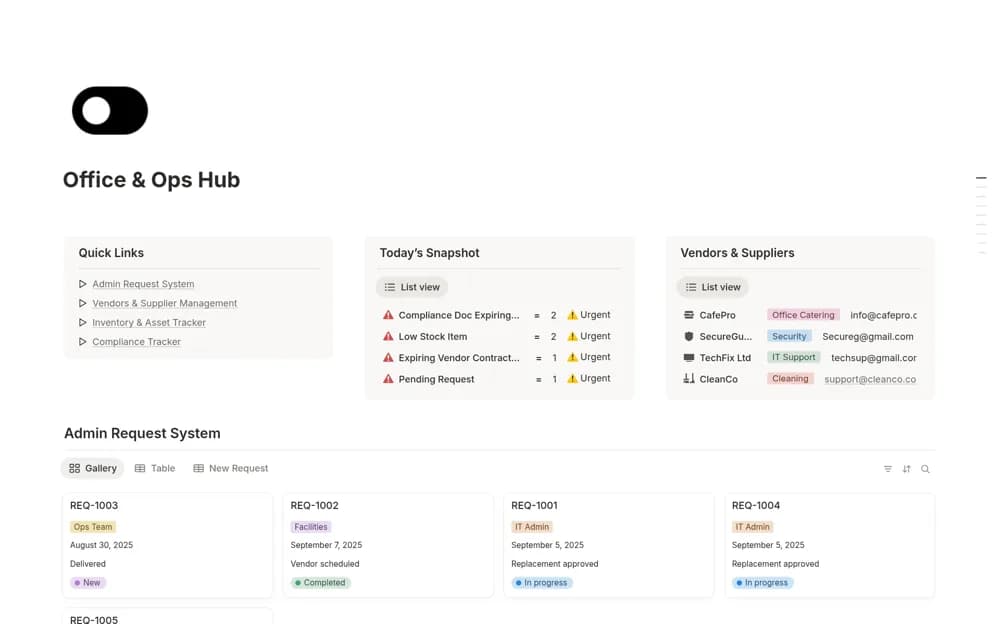
An office operations workspace bringing administrative requests, supplier records, inventory or assets, and compliance documents into a central place for day-to-day coordination.
What’s included
- Admin request system
- Vendor and supplier records
- Inventory, assets, and compliance tracking
How to use it in practice
Log a real supply or maintenance request and follow it through assignment and completion. Link the relevant vendor and asset information, then check upcoming renewal or document dates. Keep a clear owner for each active request so the dashboard leads to an action rather than becoming another general office list.
Set it up in your workspace
- Open the original Notion Marketplace listing and add the template to your chosen workspace while signed in. Keep its example records until you understand how the pages connect.
- Log a real supply or maintenance request and follow it through assignment and completion.
- Try one complete example before adding a large backlog. Check that its views and any calculations show what you expect, then replace the sample content with your own.
Who it suits and what to consider
Office managers, operations teams, and administrative staff handling recurring requests and shared resources. The source uses broad automation language without specifying external connections. Verify reminder and integration behavior, and check compliance requirements against your organization’s actual obligations.