About Professional Portofolio
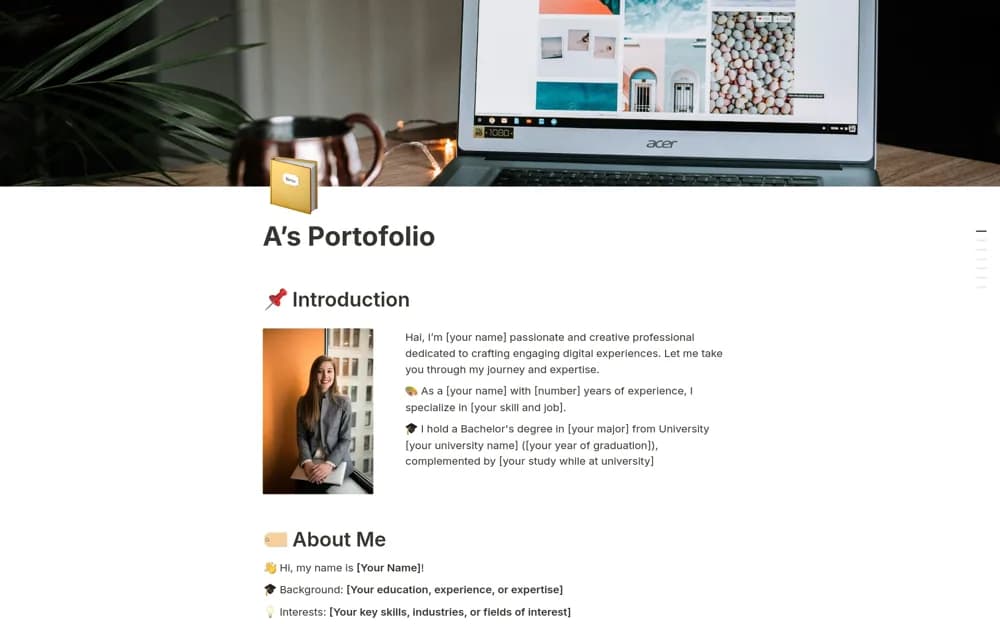
A professional portfolio structure for an introduction, skills, case studies, research publications, testimonials, and contact details.
What’s included
- Introduction, background, and skills sections
- Projects and case studies
- Research, publications, testimonials, and contact links
How to use it in practice
Select work relevant to your intended reader and explain your contribution clearly. Link accessible evidence and check permission to publish client or research material. Test the public page and contact route, then remove sample sections you cannot yet support.
Set it up in your workspace
- Open the original Notion Marketplace listing and add the template to your chosen workspace while signed in. Keep its example records until you understand how the pages connect.
- Select work relevant to your intended reader and explain your contribution clearly.
- Try one complete example before adding a large backlog. Check that its views and any calculations show what you expect, then replace the sample content with your own.
Who it suits and what to consider
Designers, developers, researchers, and other professionals presenting selected work. Include only accurate testimonials and work you have permission to display.