About Remote Worker's Playbook
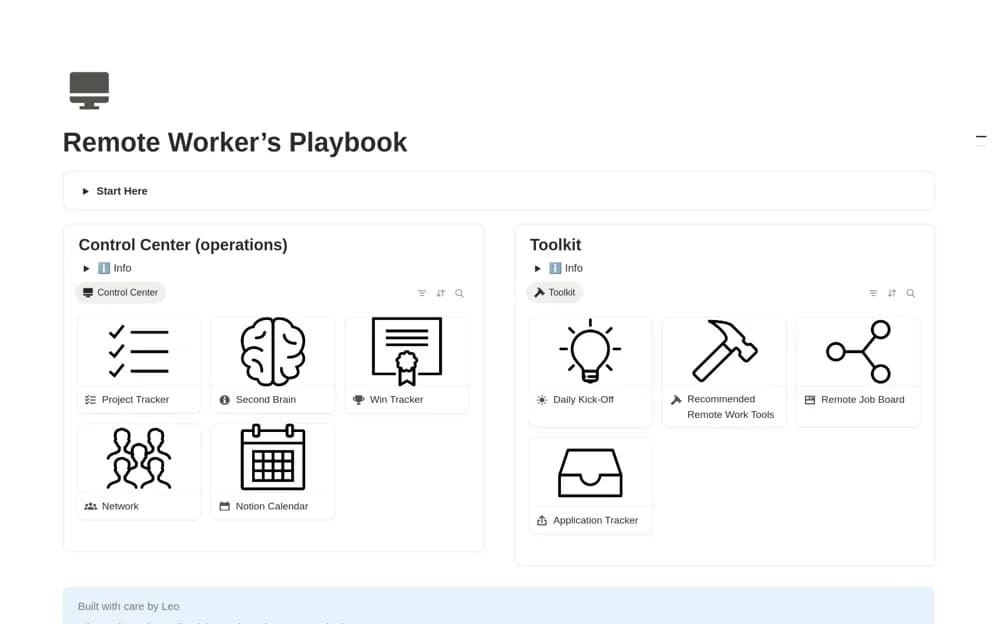
A remote-work organizer for projects, accomplishments, learning references, professional contacts, and job-search context.
What’s included
- Daily project and task organization
- Accomplishment records
- Learning, networking, and job-application context
How to use it in practice
Begin with current projects and a concise record of completed work. Save evidence useful for a performance conversation, then add a small follow-up list for professional relationships. Keep employer-confidential material out of any personal or public version of the workspace.
Set it up in your workspace
- Open the original Notion Marketplace listing and add the template to your chosen workspace while signed in. Keep its example records until you understand how the pages connect.
- Begin with current projects and a concise record of completed work.
- Try one complete example before adding a large backlog. Check that its views and any calculations show what you expect, then replace the sample content with your own.
Who it suits and what to consider
Remote professionals keeping work records and career follow-up together. The creator’s career and productivity claims are not independently established outcomes.