About Professional Resume
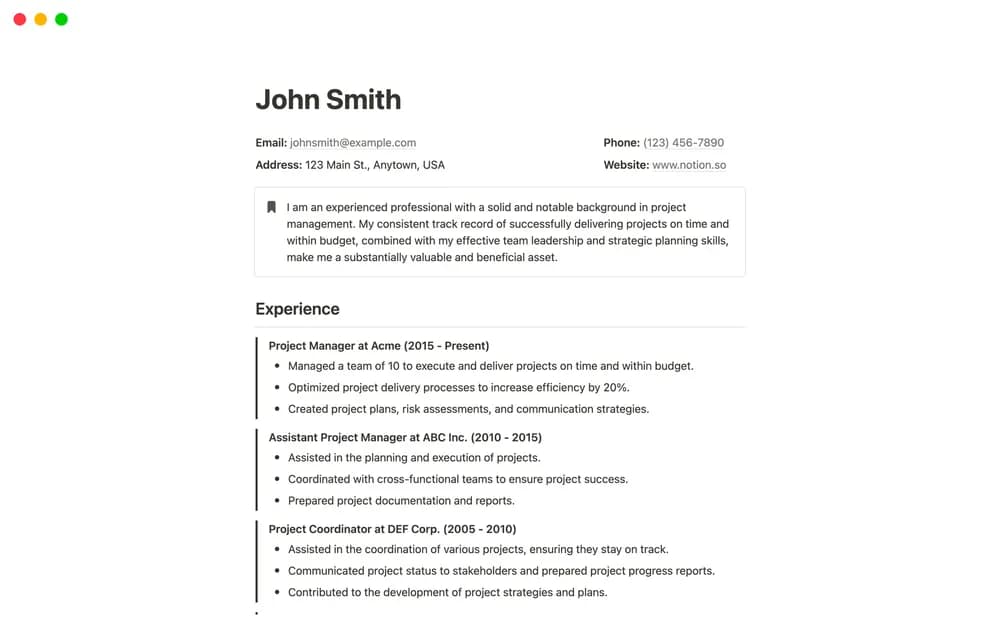
Lay out your work history, skills, and education on a concise Notion resume page with a clear, professional structure designed by Notion.
What’s included
- Experience section
- Skills section
- Education section
- Concise layout from Notion
How to use it in practice
Replace the sample content with your most recent roles, focusing on two or three measurable outcomes for each. Add the skills that match the job you are targeting this week and your education details. Read it on a phone and a laptop, then share or export a copy and ask someone to review it.
Set it up in your workspace
- Open the original Notion Marketplace listing and add the template to your chosen workspace while signed in. Keep its example records until you understand how the pages connect.
- Replace the sample content with your most recent roles, focusing on two or three measurable outcomes for each.
- Try one complete example before adding a large backlog. Check that its views and any calculations show what you expect, then replace the sample content with your own.
Who it suits and what to consider
Professionals who want a simple, editable resume they maintain in Notion. The listing gives few details beyond its experience, skills, and education focus, so add sections such as certifications or projects yourself; if an employer needs a file, check the exported formatting first.