About Restaurant Inventory Tracker
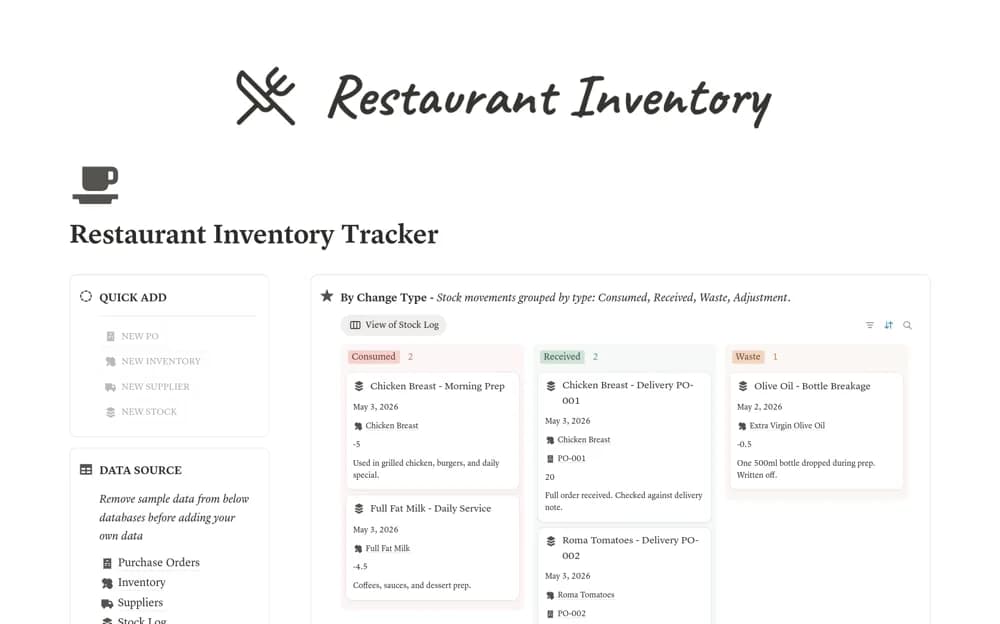
A restaurant inventory system linking ingredients and supplies, suppliers, purchase orders, and stock movements, with calculated stock status, days remaining, and reorder suggestions.
What’s included
- Inventory and Suppliers databases
- Purchase Orders and Stock Log
- Stock-status calculations and Restock Now view
How to use it in practice
Choose a few regularly used ingredients and check their units before entering a stock count. Log a delivery and a consumption movement, then compare the resulting quantity with the kitchen’s actual records. Test partial deliveries and waste entries so the reorder view reflects how stock changes in practice.
Set it up in your workspace
- Open the original Notion Marketplace listing and add the template to your chosen workspace while signed in. Keep its example records until you understand how the pages connect.
- Choose a few regularly used ingredients and check their units before entering a stock count.
- Try one complete example before adding a large backlog. Check that its views and any calculations show what you expect, then replace the sample content with your own.
Who it suits and what to consider
Restaurant and café managers who need purchasing and stock records connected to the same items. Forecasts and reorder suggestions depend on recorded movements and assumptions. This workspace does not establish a live point-of-sale feed or food-safety monitoring system.