About SaaS Metrics Cheat Sheet & Calculator
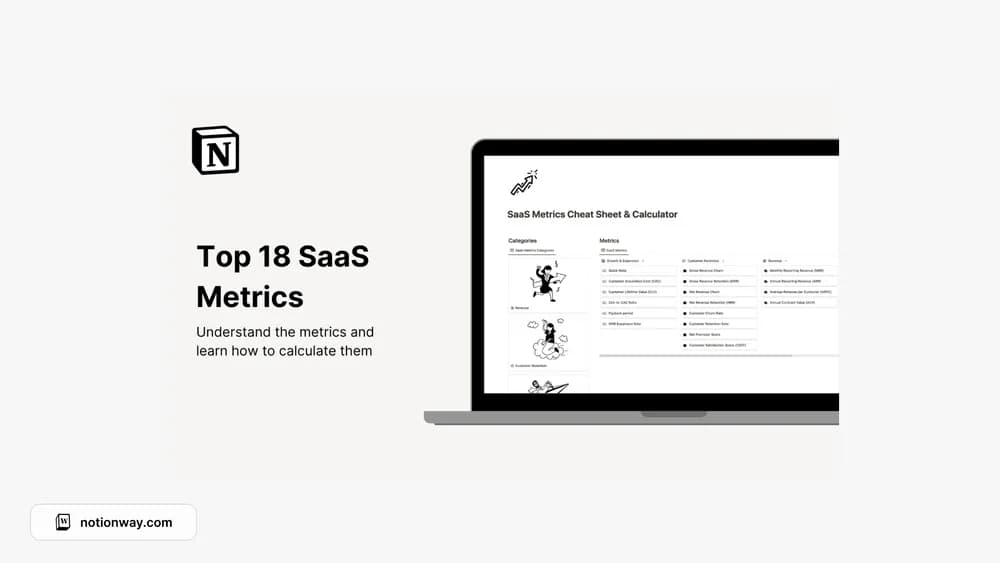
A metrics sheet is useful when the definitions are clear. This template combines reference material with a calculator. Check the inputs and formulas against your own billing model before presenting a result, especially if the business has annual plans, usage charges, or changing customer cohorts.
What’s included
- A reference covering 18 SaaS metrics
- Definitions and formulas for measures such as MRR, churn, retention, CLV, and CAC
- A calculator for applying those formulas to your inputs
How to use it in practice
Choose one reporting period and trace a familiar metric from the underlying records through the calculator. Write down how you treat annual contracts, refunds, and upgrades before comparing periods. Keep the definition next to the result so a teammate can reproduce it. If your billing model differs from the example, adapt the inputs before presenting the number.
Set it up in your workspace
- Follow the original creator’s checkout or access instructions to obtain the Notion page. Open that page while signed in, then duplicate it into the workspace you want to use.
- Choose one metric and trace the calculation from its inputs. Record the period and assumptions used.
- Try one complete example before adding a large backlog. Check that its views and any calculations show what you expect, then replace the sample content with your own.
Who it suits and what to consider
Founders learning how to describe subscription-business performance. Useful for learning and keeping metric definitions consistent. A calculator depends on the accounting and cohort assumptions you supply, so use it as a transparent working reference.