Simple Aesthetic Daily Planner and Journal

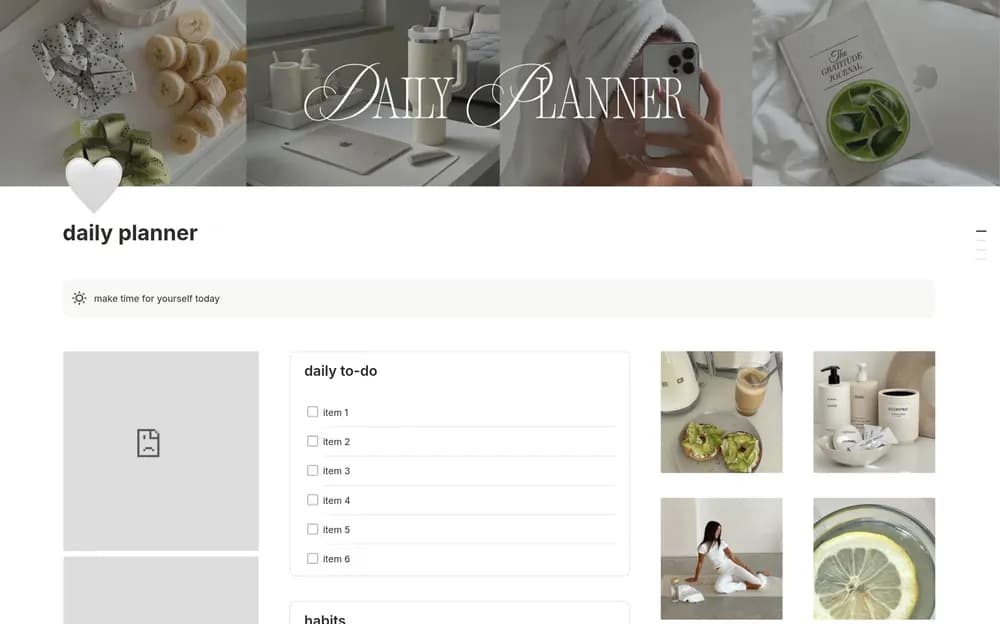
Plan each day on one aesthetic Notion page that combines a habit tracker, a journaling space, a to-do list, and a few cute widgets.

By nikki lo
Back to the directory
Simple Aesthetic Daily Planner and Journal — preview from Notion Marketplace

Preview credited to Notion Marketplace. View original listing

About Simple Aesthetic Daily Planner and Journal

Plan each day on one aesthetic Notion page that combines a habit tracker, a journaling space, a to-do list, and a few cute widgets.

What’s included

  • One-page daily planner layout
  • Habit tracking section
  • Journaling section
  • To-do list
  • Decorative widgets

How to use it in practice

Each morning, write today’s tasks and tick off yesterday’s habits. Use the journal section for a few lines in the evening. Try it for a full week and decide whether one page is enough or whether you miss a record of past days. Check how the widgets display on your phone as well as your computer.

Set it up in your workspace

  1. Open the original Notion Marketplace listing and add the template to your chosen workspace while signed in. Keep its example records until you understand how the pages connect.
  2. Each morning, write today’s tasks and tick off yesterday’s habits.
  3. Try one complete example before adding a large backlog. Check that its views and any calculations show what you expect, then replace the sample content with your own.

Who it suits and what to consider

Students and casual planners who want everything for the day on a single simple page. The listing is brief and does not say whether past days are archived. Widgets may rely on external embeds that load slowly or not at all on mobile.
Questions about this template

Does this one-page planner keep a history of past days?+

The creator describes it as a one-page daily planner with habit, journal, and to-do sections and does not mention a database of daily entries. That suggests you reuse the same page, clearing it as days pass. If you want a record, duplicate the page each day or copy journal entries into a separate journal database.

Is Simple Aesthetic Daily Planner and Journal free?+

The linked creator page offered a free version when checked. A creator may also offer tips, paid upgrades, or bundles. Choose the version described here and check the current checkout terms before completing the download.

Can I change the template after adding it to Notion?+

You can edit your own copy: replace example content, rename pages, and adapt the layout. Keep a spare copy before changing linked databases, formulas, or buttons. Redistribution and resale depend on the creator’s license, even when the download is free.