About Simple Grocery Budget Tracker
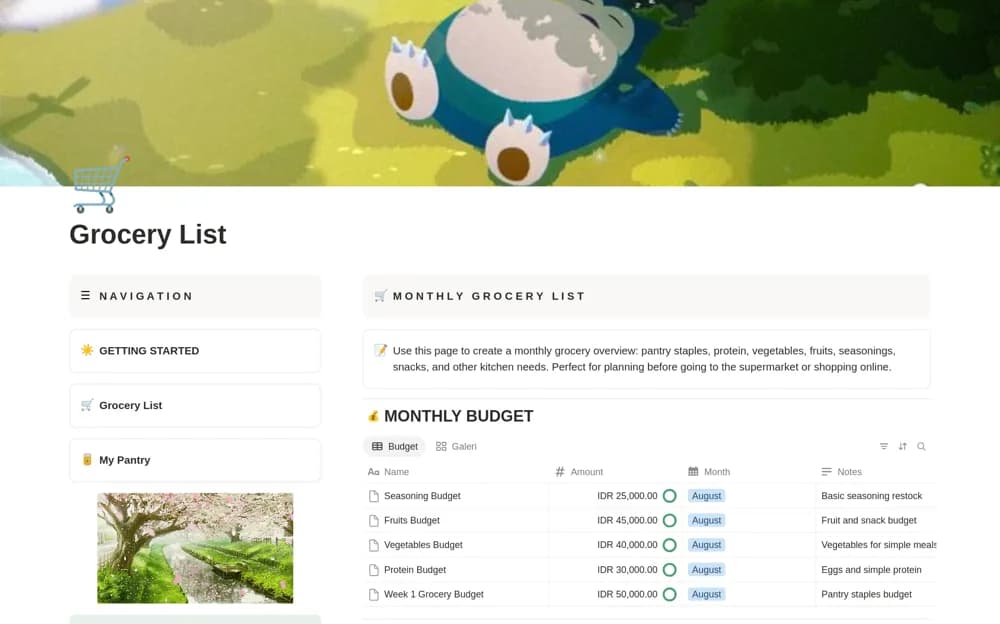
A monthly grocery planner with category lists, pantry needs, a budget tracker, spending estimates, and shopping reflections.
What’s included
- Monthly grocery overview and item database
- Budget and estimated-spending sections
- Category cards, shopping notes, and a monthly reflection
How to use it in practice
Check pantry supplies and plan the next meals before adding items. Estimate quantities and costs, then compare the list with actual receipts after shopping. Use the monthly reflection to identify unused purchases or recurring gaps without treating an estimate as the final spend.
Set it up in your workspace
- Open the original Notion Marketplace listing and add the template to your chosen workspace while signed in. Keep its example records until you understand how the pages connect.
- Check pantry supplies and plan the next meals before adding items.
- Try one complete example before adding a large backlog. Check that its views and any calculations show what you expect, then replace the sample content with your own.
Who it suits and what to consider
Households planning groceries around available supplies and a spending limit. The source describes planning and estimates, without confirming live retailer prices or stock.