About Story Bible: Novel & Book Writing Tracker
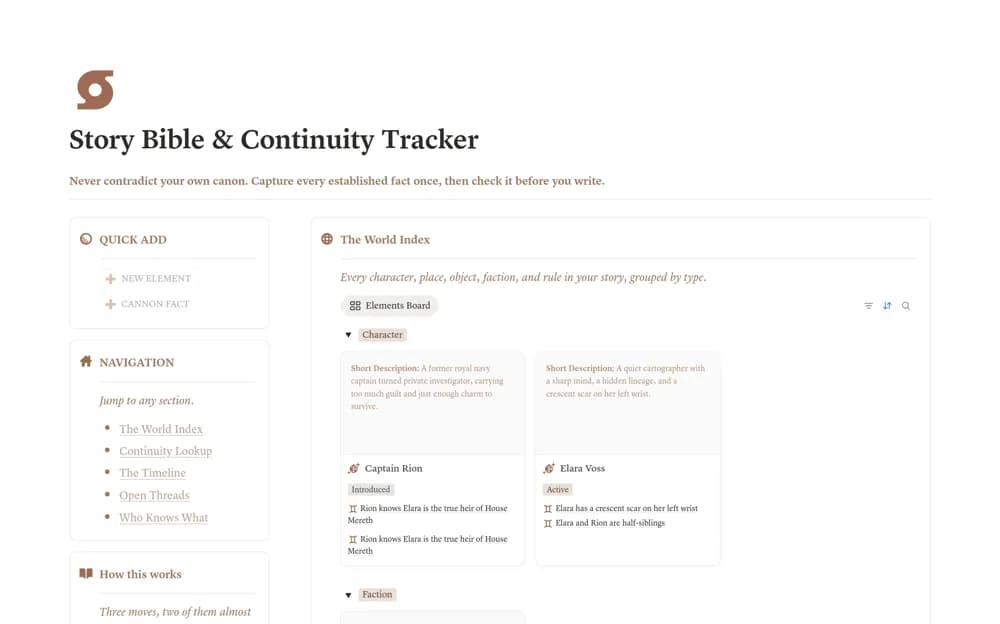
A fiction continuity system linking world elements, established canon facts, chronology, and unresolved story threads.
What’s included
- Elements and Canon Facts databases
- World index, continuity lookup, and timeline views
- Open-thread tracking for unresolved setups
How to use it in practice
Record a few facts already established in the manuscript and link them to the relevant character or place. Include the chapter where each appears, then check the lookup before changing a detail. Reconcile facts after a major revision so the reference remains aligned with the draft.
Set it up in your workspace
- Open the original Notion Marketplace listing and add the template to your chosen workspace while signed in. Keep its example records until you understand how the pages connect.
- Record a few facts already established in the manuscript and link them to the relevant character or place.
- Try one complete example before adding a large backlog. Check that its views and any calculations show what you expect, then replace the sample content with your own.
Who it suits and what to consider
Novelists maintaining a consistent cast and story world while drafting. A database can organize canon but cannot guarantee that every contradiction or unresolved thread is captured.