About Teacher’s Planner
A teaching planner should reduce repeated preparation work while leaving room to adapt a lesson. Check the creator’s sections against your timetable and responsibilities. Keep shared teaching resources separate from private student records, then test the planner during an ordinary teaching week.
What’s included
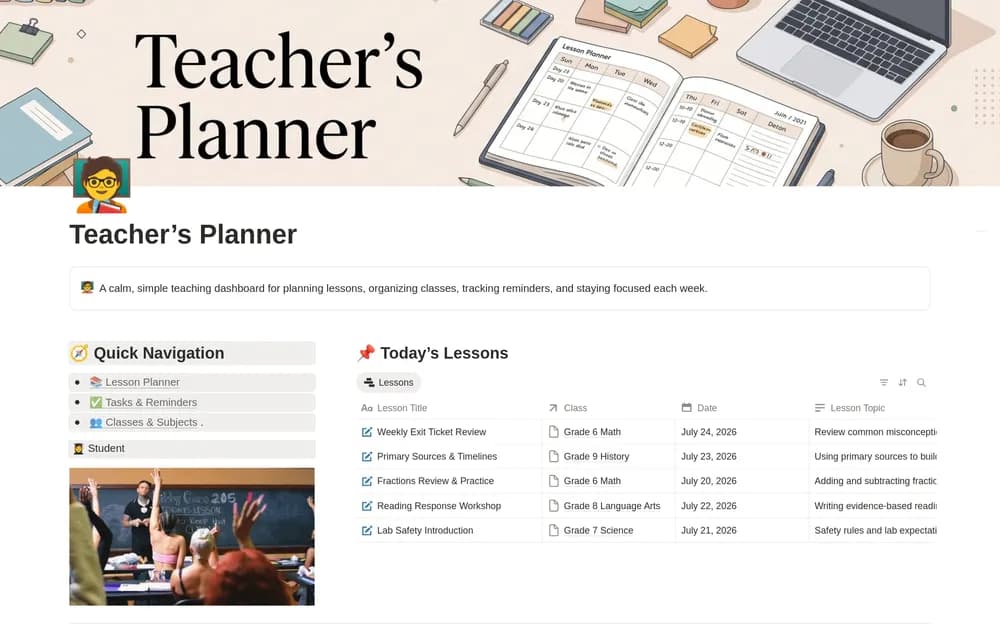
- Lesson planning by class, subject, date, and topic
- Tasks for preparation, grading, meetings, and other deadlines
- Class or subject records and a dashboard for today and the week
How to use it in practice
Plan the next few lessons with the materials and preparation still needed. Use task priorities for work that must happen before class, then review the weekly schedule for busy days. After teaching, leave a short note about what to adjust next time. Keep useful resources close to the relevant lesson or subject.
Set it up in your workspace
- Open the original Notion Marketplace listing and add the template to your chosen workspace while signed in. Keep its example records until you understand how the pages connect.
- Set up one class and the next few lessons. Reuse a useful plan before adding a full term of material.
- Try one complete example before adding a large backlog. Check that its views and any calculations show what you expect, then replace the sample content with your own.
Who it suits and what to consider
Teachers organizing classes, lessons, and preparation. A manageable planning home for educators. Use the class structure that matches your actual teaching schedule rather than maintaining unnecessary duplicate pages.