About TheraDesk: Private Practice Kit for Therapists
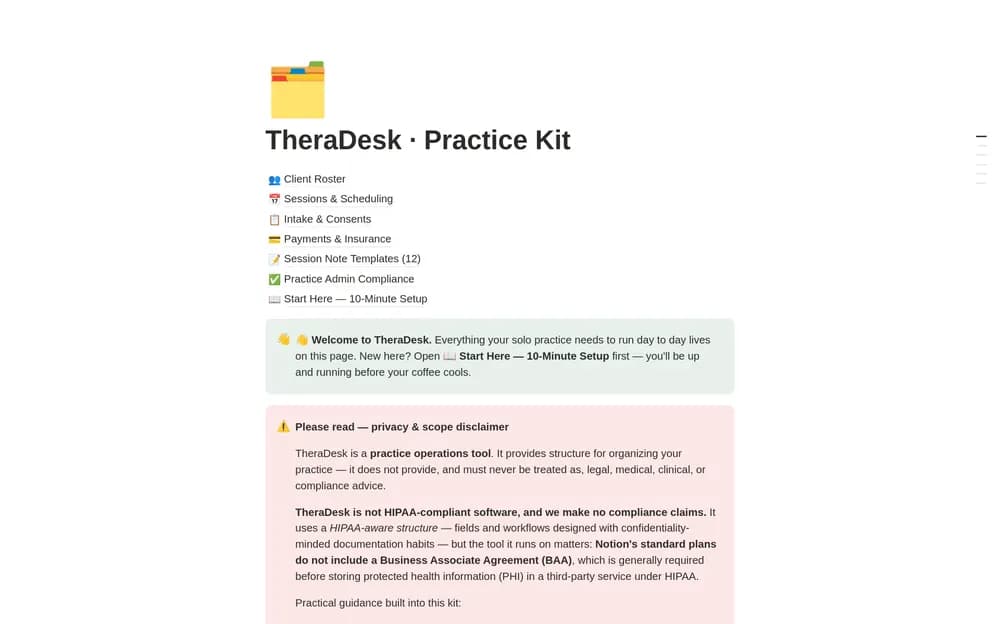
Handle private-practice admin in Notion with a client roster, session tracking, SOAP and DAP note templates, intake status, and payment records.
What’s included
- Client roster linked to sessions, notes, intake, and payments
- 10 scenario-based SOAP and DAP note templates
- Intake and consent tracking by sent, received, and complete
- Payments, insurance claims, and superbill tracking
- Practice admin checklist and 10-minute setup guide
How to use it in practice
Follow the setup guide using a fictional test client before entering any real person. Create a session, write a note from one SOAP or DAP template, and mark intake and payment status. Confirm your Notion plan and compliance obligations, then decide at the end of the week whether the linked records cover your admin needs.
Set it up in your workspace
- Open the original Notion Marketplace listing and add the template to your chosen workspace while signed in. Keep its example records until you understand how the pages connect.
- Follow the setup guide using a fictional test client before entering any real person.
- Try one complete example before adding a large backlog. Check that its views and any calculations show what you expect, then replace the sample content with your own.
Who it suits and what to consider
Solo private-practice therapists and counselors, plus coaches, who charge per session and want one admin workspace. The creator states it is not an EHR and does not make a workspace HIPAA compliant on its own; storing protected health information in Notion requires a suitable plan and a signed BAA.