About Thesis planning
A thesis plan needs to connect reading, writing, and supervisor commitments over a longer period. This template comes from Notion. Use it to keep the current question and next milestone visible, and check the structure against your department’s actual requirements.
What’s included
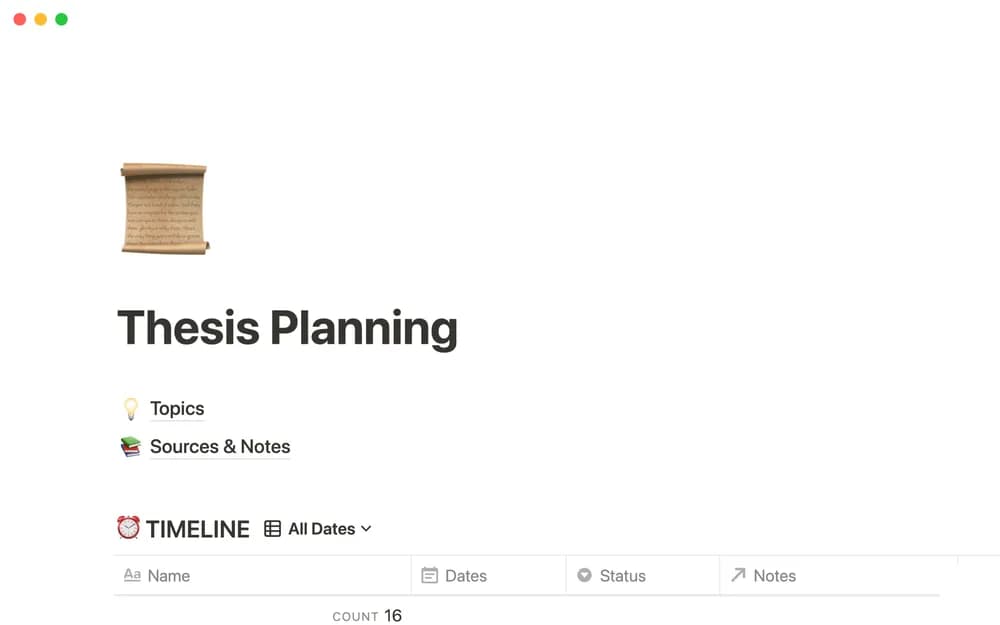
- Topic-brainstorming and evaluation space
- A searchable source list with notes
- A due-date timeline where thesis content can also be drafted
How to use it in practice
Begin with the research question and the next milestone agreed with your supervisor. Add sources with your own summary and a note about how each informs the question. Use the timeline for concrete drafting or research outputs and review it when the scope changes. Keep formal citations consistent with your department’s required style.
Set it up in your workspace
- Open the original Notion Marketplace listing and add the template to your chosen workspace while signed in. Keep its example records until you understand how the pages connect.
- Write your current research question and the next milestone. Add the work needed for the next supervision meeting.
- Try one complete example before adding a large backlog. Check that its views and any calculations show what you expect, then replace the sample content with your own.
Who it suits and what to consider
Students organizing thesis research and writing. Useful for connecting research material and writing progress. It supplies organization while methodological and submission requirements remain specific to your program.