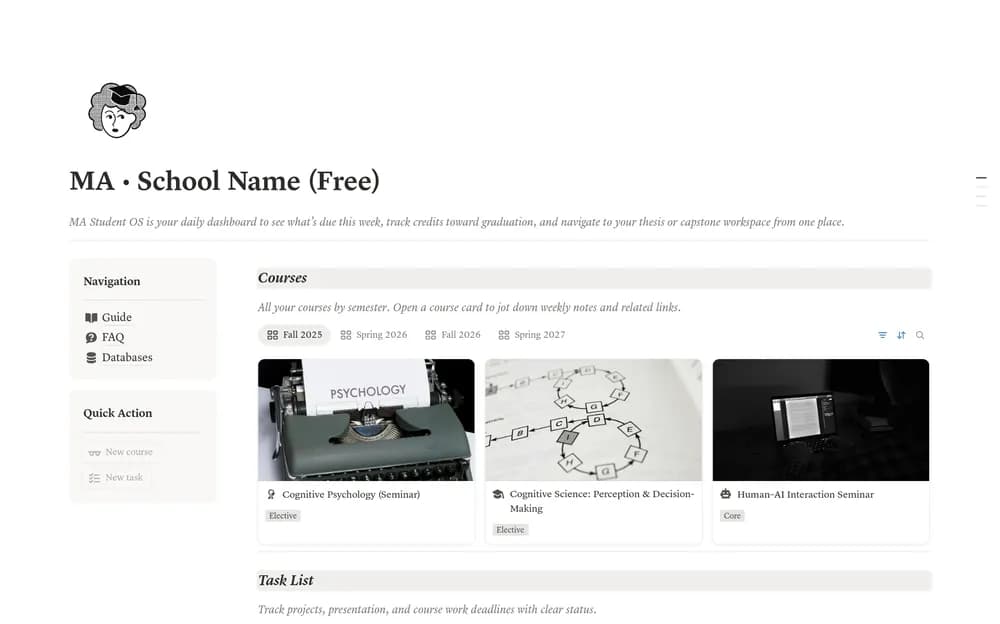
About MA Student OS Lite
Postgraduate work often combines taught classes with longer independent projects. This student workspace is a starting point for that mix. Check the included sections against your program, then use one current course or research task to see whether the structure fits your week.
What’s included
- A dashboard, course tracker, and task tracker
- Credit targets with completed, in-progress, and remaining-credit summaries
- Course records by semester with notes and links
How to use it in practice
Enter one semester and verify a few courses against the program’s credit rules. Set the graduation targets by category and check the summary after marking a sample course complete. Add upcoming tasks and use the weekly deadline view for the next action. Keep the official program requirements linked for checking exceptions.
Set it up in your workspace
- Open the original Notion Marketplace listing and add the template to your chosen workspace while signed in. Keep its example records until you understand how the pages connect.
- Add your current academic commitments and one important deadline. Keep research and course context close to the work.
- Try one complete example before adding a large backlog. Check that its views and any calculations show what you expect, then replace the sample content with your own.
Who it suits and what to consider
Master’s students organizing academic commitments. The Lite version focuses on courses, credits, and tasks. Thesis HQ, Capstone HQ, the credit chart, and additional reflection tools are described as part of the full version.