About Travel Itinerary Planner & Memory Vault
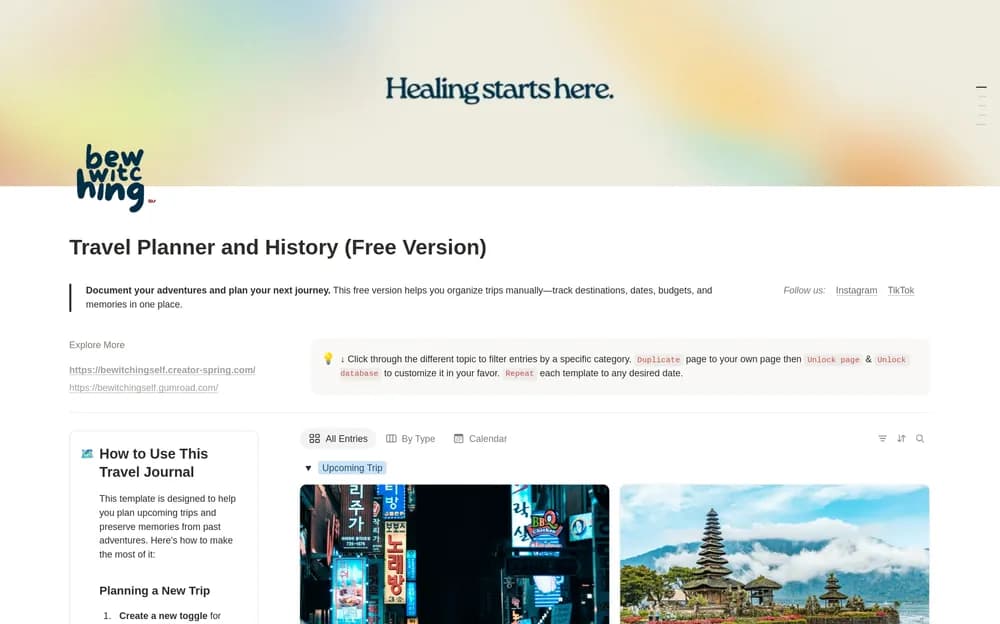
Store upcoming trips, travel history, dream destinations, and travel tips in one flexible Notion database with table, board, and calendar views.
What’s included
- Single database with Upcoming Trip, Travel History, Dream Destination, and Tip or Resource types
- Properties for dates, budget, spending, flights, packing, apps, and travel type
- Table, board, and calendar views
- Photo and file attachments for memories
- Prefilled example entries
How to use it in practice
Add your next trip, two past trips, and a couple of dream destinations. Fill in dates, budget, and flights for the upcoming trip, and attach a few photos to a past one. Save any useful apps or websites as tip entries, then check the calendar view to see your travel year at a glance.
Set it up in your workspace
- Open the original Notion Marketplace listing and add the template to your chosen workspace while signed in. Keep its example records until you understand how the pages connect.
- Add your next trip, two past trips, and a couple of dream destinations.
- Try one complete example before adding a large backlog. Check that its views and any calculations show what you expect, then replace the sample content with your own.
Who it suits and what to consider
Travelers who want one simple database for planning trips and archiving past ones. Because everything shares one database, day-by-day plans and detailed expenses live in page text rather than separate databases. Photo uploads are subject to the file limits of your Notion plan.