About Travel Planner & Packing List
Organize trips in Notion with a dashboard of destinations and budgets, timed daily itineraries, an expense log, and a categorized packing list.
What’s included
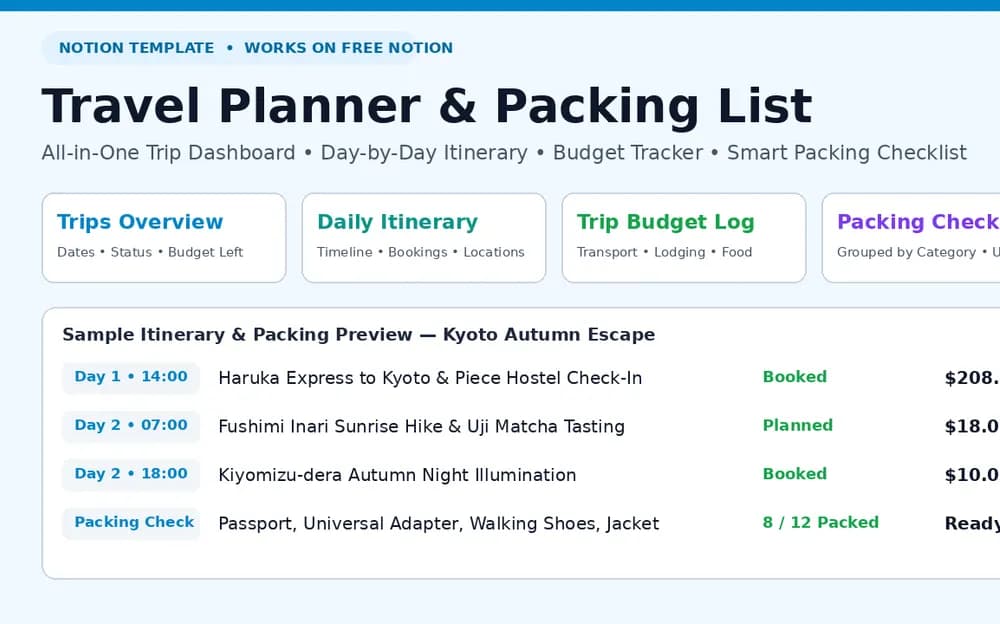
- Trips overview with dates, booking status, budget, and actual spend
- Day-by-day itinerary with time slots, locations, and booking references
- Expense log by category and payment method
- Packing checklist in five groups with an unpacked view
- Sample trip in English and Vietnamese editions
How to use it in practice
Replace the sample trip with an upcoming one and enter your confirmed flights and lodging in the itinerary with their booking references. Log deposits you have already paid in the expense log, then compare actual spend with the trip budget. Work through the unpacked view as departure approaches.
Set it up in your workspace
- Follow the original creator’s checkout or access instructions to obtain the Notion page. Open that page while signed in, then duplicate it into the workspace you want to use.
- Replace the sample trip with an upcoming one and enter your confirmed flights and lodging in the itinerary with their booking references.
- Try one complete example before adding a large backlog. Check that its views and any calculations show what you expect, then replace the sample content with your own.
Who it suits and what to consider
Travelers who plan several trips a year and want bookings, spending, and packing in one workspace. The download is a PDF with separate English and Vietnamese duplicate links, plus CSV import packages. All costs are entered manually.