About User Journey Map
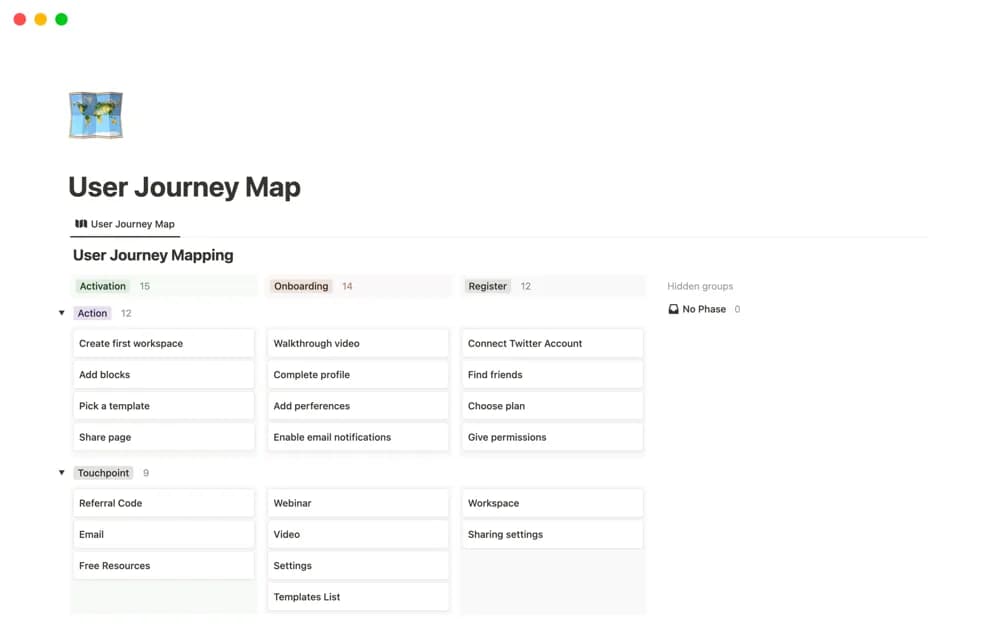
A journey-mapping workspace for user stages, actions, touchpoints, emotions, pain points, and opportunities, with visual-board references.
What’s included
- Journey-stage database
- Actions, touchpoints, emotions, and opportunities
- Embedded Miro and FigJam reference boards
How to use it in practice
Choose a specific user situation and map the current experience from evidence. Mark uncertain emotions or steps as assumptions. Review the map with relevant users or research findings, then choose a friction point to investigate rather than treating the diagram as a complete account.
Set it up in your workspace
- Open the original Notion Marketplace listing and add the template to your chosen workspace while signed in. Keep its example records until you understand how the pages connect.
- Choose a specific user situation and map the current experience from evidence.
- Try one complete example before adding a large backlog. Check that its views and any calculations show what you expect, then replace the sample content with your own.
Who it suits and what to consider
UX teams organizing evidence about a user’s experience across a process. External boards can need separate access or accounts; a map’s detail is only as reliable as its evidence.