About Aesthetic Personal Homepage Notion Template
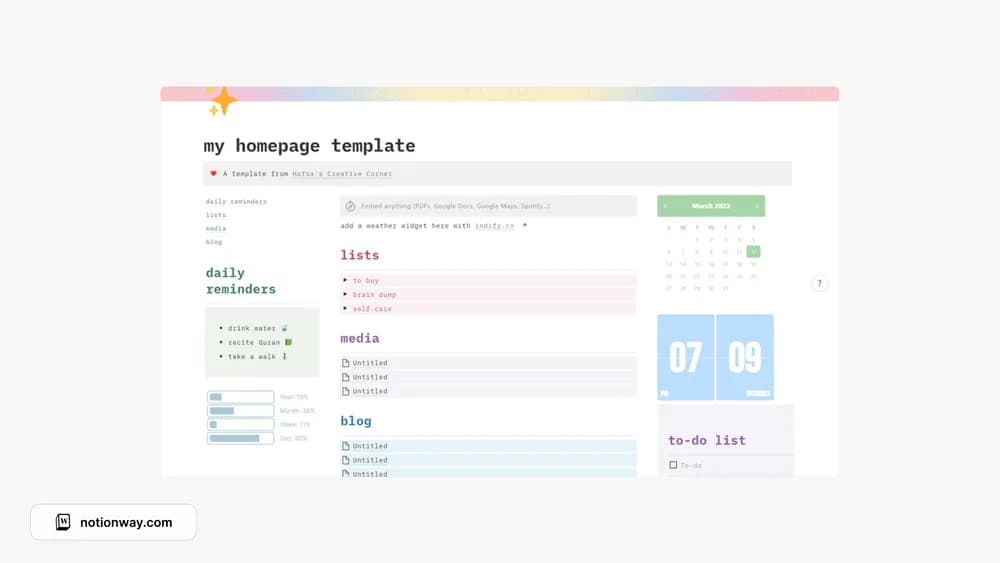
A personal home page can make Notion feel easier to return to. This one uses a pastel aesthetic and leaves space for everyday reminders. Before making it your main dashboard, check how the layout feels on the device where you usually add tasks.
What’s included
- An aesthetic home page for linking existing Notion pages
- Light and dark versions described by the creator
- A navigation-focused layout you can personalize
How to use it in practice
Link the pages you already open every week before creating new databases. Group them by a few recognizable areas, then test whether you can reach a current task, note, or plan in one or two clicks. Remove decorative blocks that push the useful links too far down on mobile. The home page works best as a clear doorway into your existing workspace.
Set it up in your workspace
- Follow the original creator’s checkout or access instructions to obtain the Notion page. Open that page while signed in, then duplicate it into the workspace you want to use.
- Add your current reminders and links to two pages you use often. Open the result on your phone as well as your laptop.
- Try one complete example before adding a large backlog. Check that its views and any calculations show what you expect, then replace the sample content with your own.
Who it suits and what to consider
People who prefer a soft visual style in their workspace. Choose it if navigation is the missing piece. The listing describes a home page for your existing content, so do not assume it includes a full task, finance, or project system.