About Agile Project Management
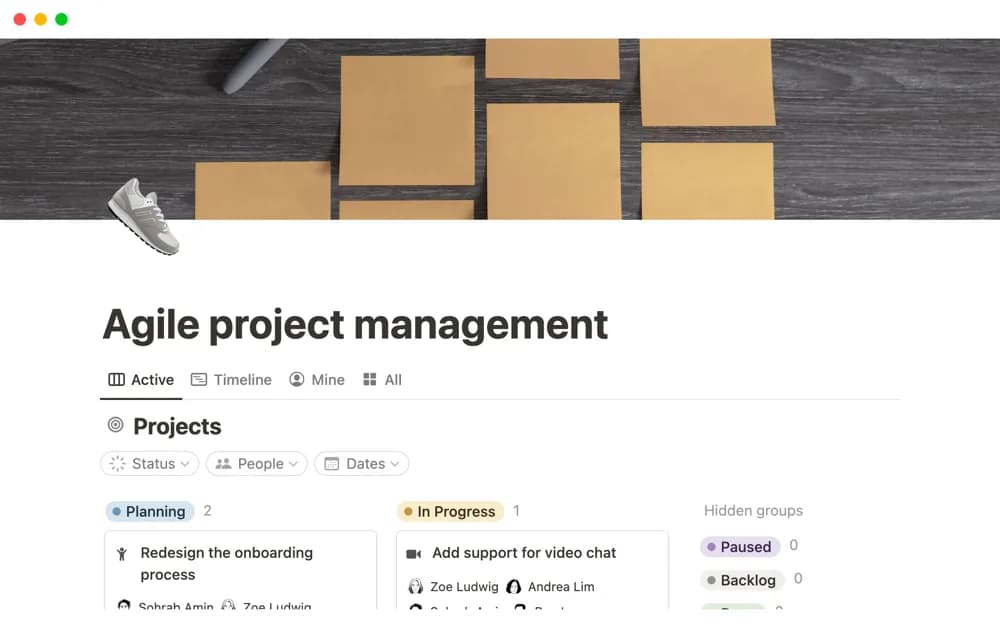
A Notion-made project system that divides work into tasks and sprints with a sprint timeline.
What’s included
- Project records
- Tasks connected to projects and sprints
- A sprint timeline for reviewing planned work
How to use it in practice
Choose a small project and divide it into tasks with clear results. Assign a realistic sprint scope, then review progress and dependencies together. Keep the next sprint adaptable based on unfinished work and what the team learned rather than copying the same plan forward automatically.
Set it up in your workspace
- Open the original Notion Marketplace listing and add the template to your chosen workspace while signed in. Keep its example records until you understand how the pages connect.
- Choose a small project and divide it into tasks with clear results.
- Try one complete example before adding a large backlog. Check that its views and any calculations show what you expect, then replace the sample content with your own.
Who it suits and what to consider
Teams organizing iterative delivery across projects and smaller tasks. The workspace provides structure for iterative planning; a useful process still needs shared stage definitions and review habits.