About Classes Os
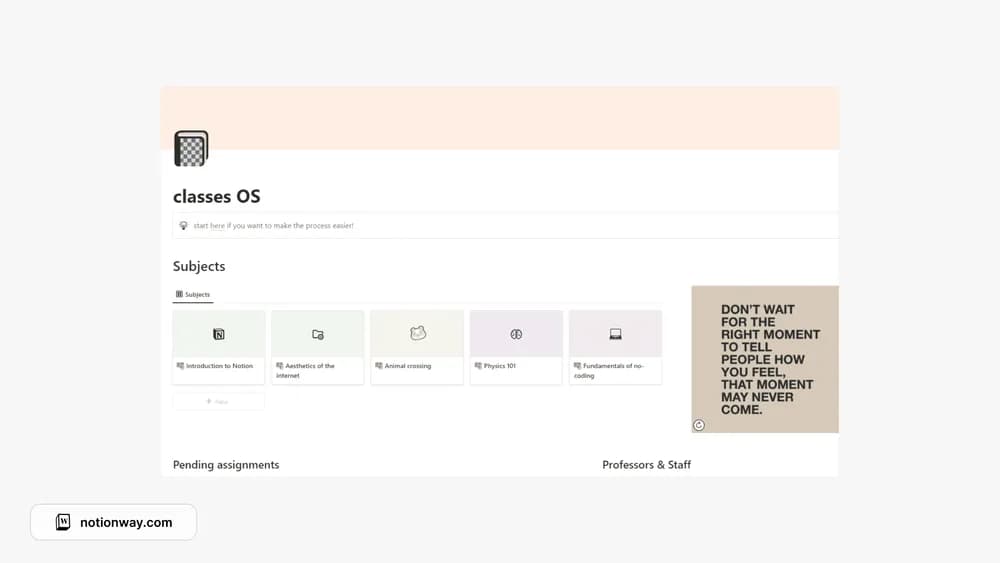
Classes OS focuses on the practical relationship between subjects and the work due for them. That can be useful when a task list has lost its academic context. Check how the template presents unfinished work so you can make it part of a regular study check-in.
What’s included
- A dashboard for pending assignments, classes, and subjects
- A lecture-notes hub and assignment tracker
- A teacher contact directory
How to use it in practice
Begin with the current week’s classes and one assignment. Put lecture notes in the relevant course area and record the assignment deadline from the official brief. During a weekly review, compare the dashboard with your institution’s portal. Keep teacher contact details current so you can find the right person without searching old messages.
Set it up in your workspace
- Follow the original creator’s checkout or access instructions to obtain the Notion page. Open that page while signed in, then duplicate it into the workspace you want to use.
- Enter your current classes and a week of assignments. Confirm that you can find the next deadline without opening every subject.
- Try one complete example before adding a large backlog. Check that its views and any calculations show what you expect, then replace the sample content with your own.
Who it suits and what to consider
Students managing several classes at once. Useful for schoolwork and class context in one place. Continue using the institution’s portal as the authority for submission requirements and changes to official deadlines.