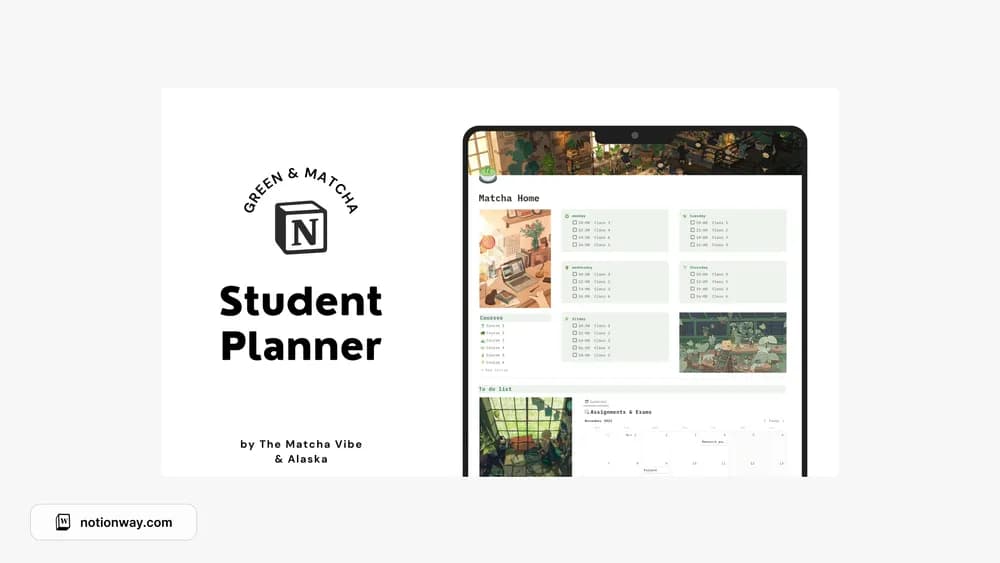
About Green & Ghibli Student Planner
The source lists the green and matcha version and the Spirited Away version separately, but both point to the same creator page. This listing brings those variations together. Choose a visual version, then check how the actual planner handles your courses and commitments.
What’s included
- Six course pages, assignments and exams, a notebook, and a schedule
- Habit, budget, study-session, book, and café tracking
- Green anime and Matcha Study Vibe versions
How to use it in practice
Set up the academic pages first: current courses, the next exam, and this week’s study sessions. Add personal sections such as the café and book trackers only when you have a use for them. Keep the main dashboard focused on what you need before the next class. This preserves the relaxed visual style without making every page part of your daily workload.
Set it up in your workspace
- Follow the original creator’s checkout or access instructions to obtain the Notion page. Open that page while signed in, then duplicate it into the workspace you want to use.
- Preview the available visual versions and enter a week of real coursework. Choose the version that remains readable on your main device.
- Try one complete example before adding a large backlog. Check that its views and any calculations show what you expect, then replace the sample content with your own.
Who it suits and what to consider
Students who want a themed study workspace. A broad student planner with two related visual styles. The source roundup lists overlapping matcha and Ghibli entries; they are represented here as one creator template rather than separate downloads.