About Commission Tracker
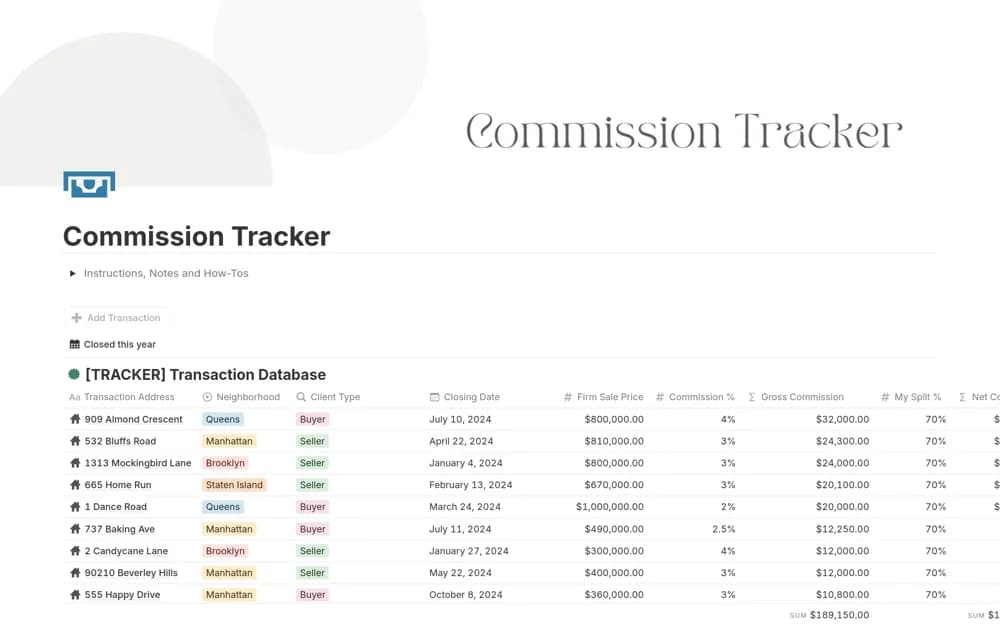
A real estate commission tracker with adjustable rates, broker splits, annual targets, and earnings charts.
What’s included
- Transaction records
- Commission percentage and broker-split formulas
- Gross and net commission goals with visual progress charts
How to use it in practice
Test a completed transaction against its actual commission statement. Check how the split and rate are applied before adding more deals. Keep estimated earnings separate from amounts received, and reconcile the totals periodically with the records used for your accounts.
Set it up in your workspace
- Open the original Notion Marketplace listing and add the template to your chosen workspace while signed in. Keep its example records until you understand how the pages connect.
- Test a completed transaction against its actual commission statement.
- Try one complete example before adding a large backlog. Check that its views and any calculations show what you expect, then replace the sample content with your own.
Who it suits and what to consider
Real estate agents reviewing transaction commissions and progress toward targets. Formula outputs depend on your agreement and inputs; the listing does not establish tax treatment or accounting integration.