About Couples’ Tracker for Dates & Important Days
A shared tracker is useful when both people find it comfortable to use. This template focuses on dates and important days. Keep practical details close to the plan, agree on what you want to record, and make the page easy to open when choosing what to do next.
What’s included
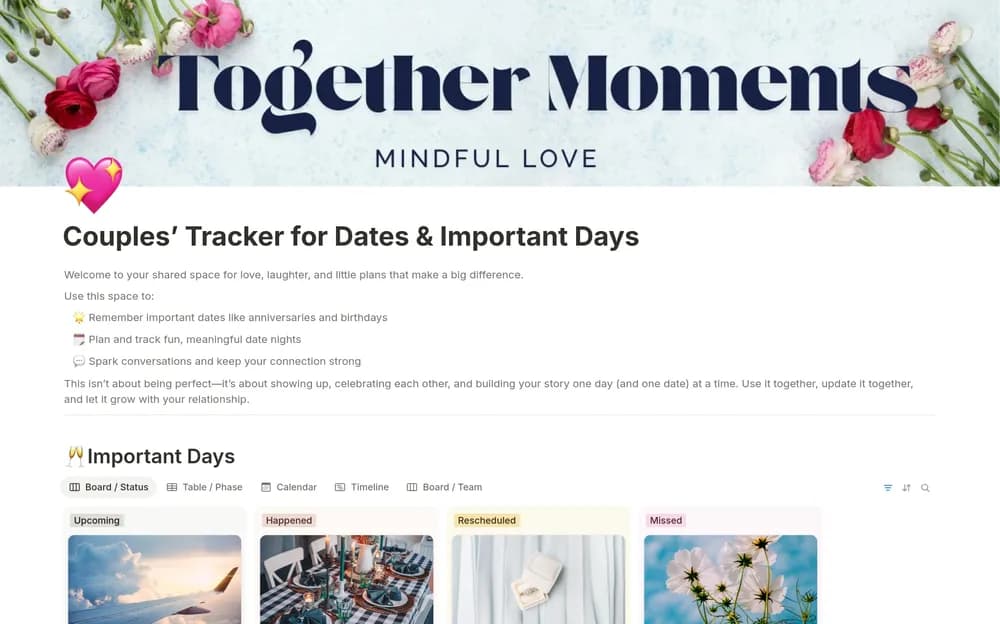
- Important-day records with planning status, planner, budget, and notes
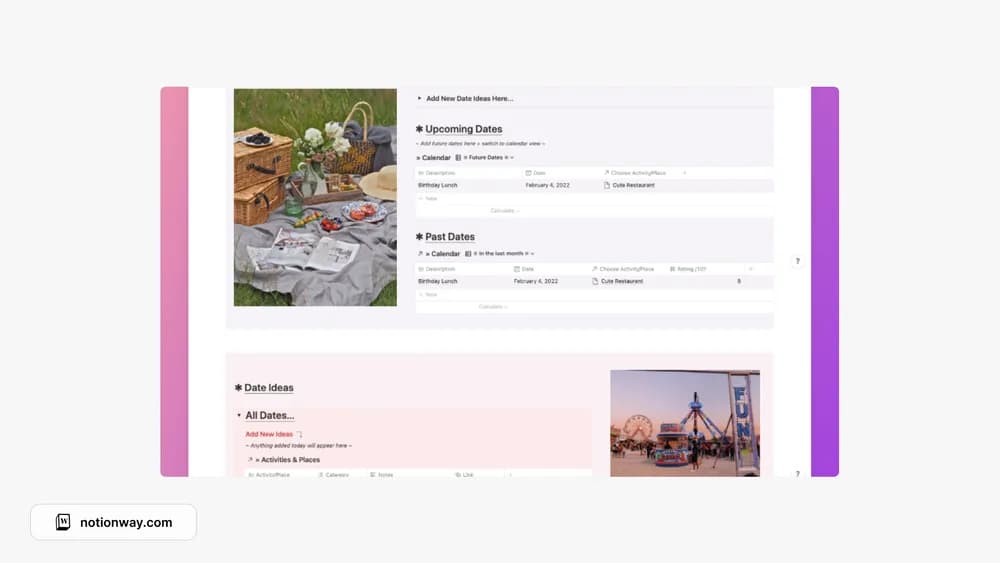
- Date ideas, upcoming plans, and past-date records
- Editable date types and personal celebration details
How to use it in practice
Add the dates both of you want to remember and agree on how you will plan them. Save ideas with practical context such as budget and location. After an outing, leave a short note about what you enjoyed or would change. Keep the shared page easy to update so it helps with conversation and planning.
Set it up in your workspace
- Open the original Notion Marketplace listing and add the template to your chosen workspace while signed in. Keep its example records until you understand how the pages connect.
- Add a few upcoming dates and shared ideas. Review the layout together before adding more personal information.
- Try one complete example before adding a large backlog. Check that its views and any calculations show what you expect, then replace the sample content with your own.
Who it suits and what to consider
Couples who enjoy organizing plans together. Useful for shared ideas and meaningful-date organization. Confirm notification settings separately if reminders are essential.