About Date Ideas Planner
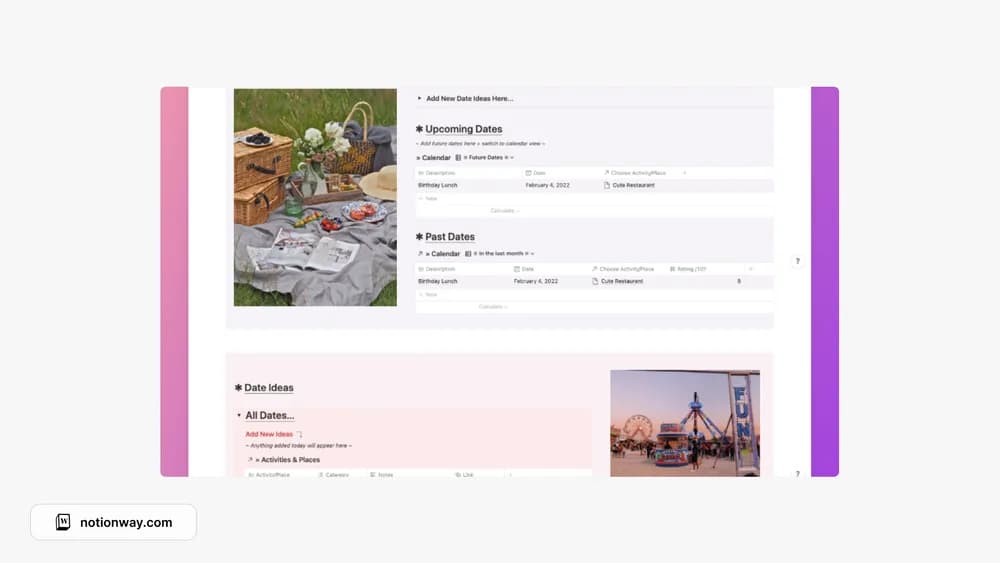
A shared idea list makes planning an evening easier when neither person wants to search from scratch. This template is oriented around venues and activities. Use the notes for the details that make an idea workable, such as location, booking needs, or when you would like to go.
What’s included
- A place to collect date ideas and venues
- Ratings for restaurants, cafés, bars, and other places you try
- A dashboard you can share with someone planning alongside you
How to use it in practice
Save ideas with a rough budget, location, and reason to go, adding those notes where useful in your copy. Before a date, narrow the list to a few realistic choices and check the venue’s current details. Afterwards, record what you liked and whether you would return. The same list can work for solo outings or time with friends.
Set it up in your workspace
- Follow the original creator’s checkout or access instructions to obtain the Notion page. Open that page while signed in, then duplicate it into the workspace you want to use.
- Add a handful of ideas at different budgets. Pick one and record the practical details you need to make it happen.
- Try one complete example before adding a large backlog. Check that its views and any calculations show what you expect, then replace the sample content with your own.
Who it suits and what to consider
Couples who want a shared list of places and activities. Useful when you already have plenty of ideas but forget them when making plans. It organizes possibilities; bookings and current opening hours still need checking with the venue.