About Event Timeline & Day-Of Schedule
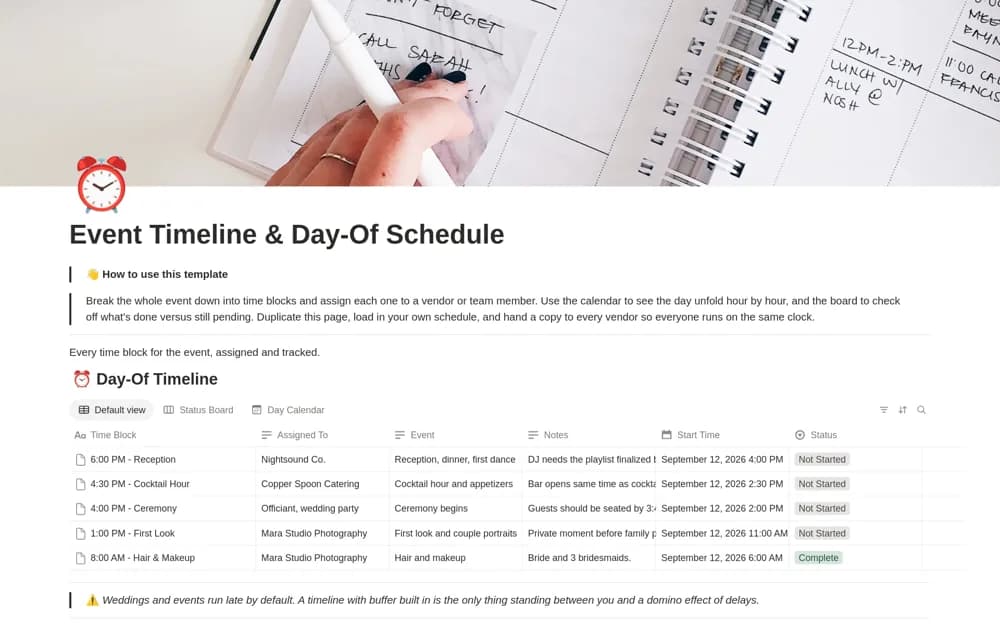
A day-of-event schedule with time blocks, assigned responsibilities, and calendar and progress-board views.
What’s included
- Time-blocked event database
- Calendar and completion-board views
- Example schedule blocks and a guided setup callout
How to use it in practice
Build the schedule around fixed venue and supplier times, then add realistic setup and transition buffers. Assign a contact to each critical block and check the run sheet with the people delivering it. Keep a practical backup available for use at the venue.
Set it up in your workspace
- Open the original Notion Marketplace listing and add the template to your chosen workspace while signed in. Keep its example records until you understand how the pages connect.
- Build the schedule around fixed venue and supplier times, then add realistic setup and transition buffers.
- Try one complete example before adding a large backlog. Check that its views and any calculations show what you expect, then replace the sample content with your own.
Who it suits and what to consider
Event organizers coordinating setup, activities, vendors, and the final handoff. A shared schedule needs agreed update and communication rules when timings change during the event.