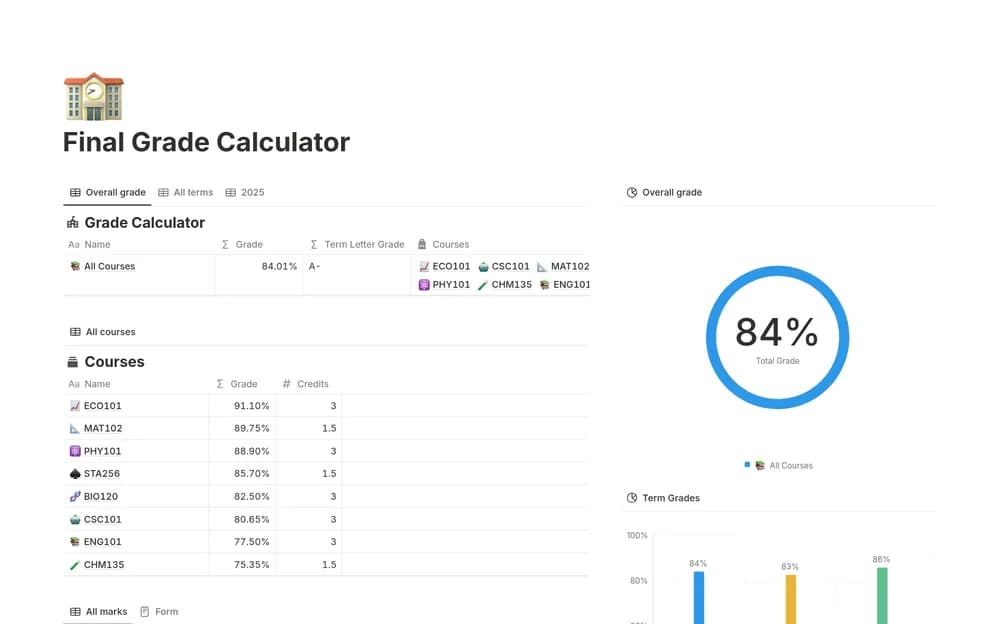
About Final Grade Calculator
A grade calculator is useful when the weights and rules match your course. This template comes from Notion. Compare its setup with your official assessment information before relying on a total, particularly if the course has special grading or resit rules.
What’s included
- Connected Terms, Courses, and Marks databases
- Credit-weighted GPA and percentage or letter-grade calculations
- Multi-term tracking with grade analytics and comparison views
How to use it in practice
Test a course whose result you can calculate by hand. Enter its credits and a few assessment marks, then compare the calculated grade with your institution’s method. Check rounding and letter-grade boundaries before adding the remaining term. Use projected marks as planning assumptions and keep them distinct from results already awarded.
Set it up in your workspace
- Open the original Notion Marketplace listing and add the template to your chosen workspace while signed in. Keep its example records until you understand how the pages connect.
- Enter a sample set of assessments using the official weights. Check the result against a calculation you understand.
- Try one complete example before adding a large backlog. Check that its views and any calculations show what you expect, then replace the sample content with your own.
Who it suits and what to consider
Students checking how course assessments contribute to a result. Useful for students who want connected academic totals. Adapt the calculation to the relevant grading scheme before relying on the displayed GPA.