About Home Design Planner
A home-design plan can help separate inspiration from decisions you have made. This template gives that information a place to live. Keep dimensions, constraints, and costs beside the references so a collection of images can turn into a workable plan.
What’s included
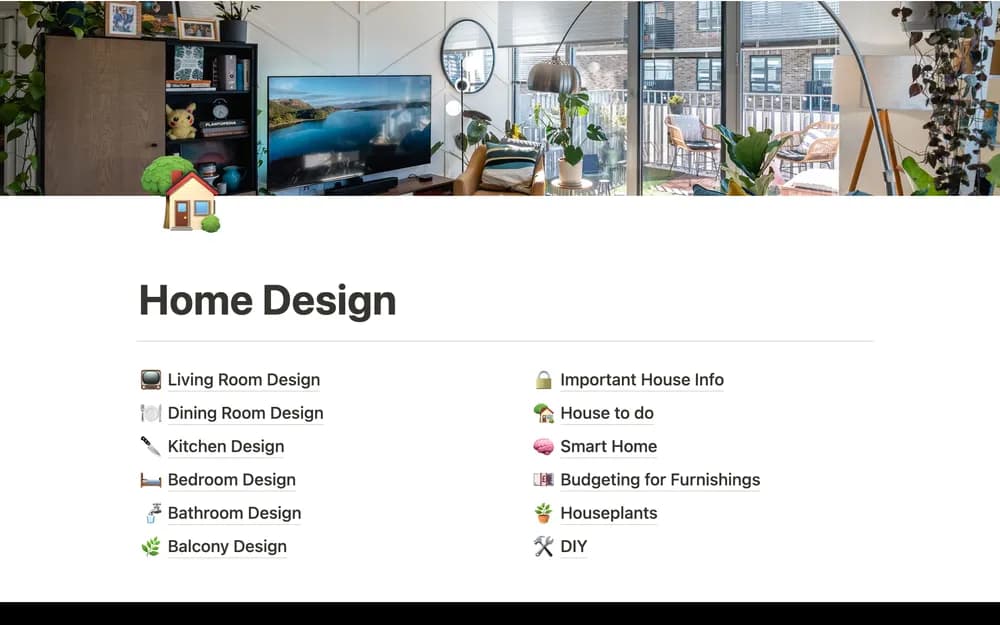
- Room-by-room design pages
- Budget organization
- Places for important project information, tips, and to-do lists
How to use it in practice
Start with one room and define what needs to change before collecting inspiration. Keep measurements, decisions, quotes, and next actions in the room’s page where appropriate. Review the budget before committing to purchases and note which information is confirmed. Retain useful product and supplier references for future maintenance.
Set it up in your workspace
- Open the original Notion Marketplace listing and add the template to your chosen workspace while signed in. Keep its example records until you understand how the pages connect.
- Choose one room and record the constraints before collecting ideas. Keep measurements and budget assumptions easy to find.
- Try one complete example before adding a large backlog. Check that its views and any calculations show what you expect, then replace the sample content with your own.
Who it suits and what to consider
People planning changes to a room or home. A practical home for design-project context. Measurements, building requirements, and supplier commitments need checking through their original sources.