About Employee Home & Human Resources Hub
Build an employee handbook in Notion from an organized HR page outline, with a completed sample onboarding section and changelog.
What’s included
- Eleven HR section outlines
- Sixty-five linked handbook subpages
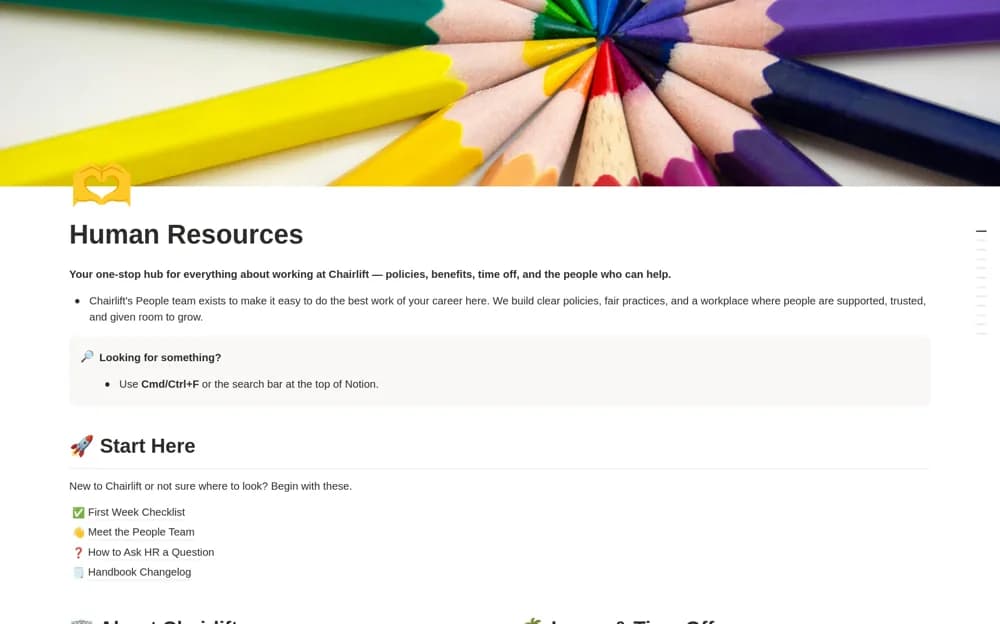
- Completed sample first-week guidance
- People directory, question routing, and changelog
How to use it in practice
Read the fictional company’s completed Start Here section to understand the layout. Replace its name, contacts, and first-week tasks, then work through the remaining page outlines using your own approved policies. Assign a reviewer to each section before giving employees the published handbook link.
Set it up in your workspace
- Open the original Notion Marketplace listing and add the template to your chosen workspace while signed in. Keep its example records until you understand how the pages connect.
- Read the fictional company’s completed Start Here section to understand the layout.
- Try one complete example before adding a large backlog. Check that its views and any calculations show what you expect, then replace the sample content with your own.
Who it suits and what to consider
People teams and founders creating their first handbook or reorganizing existing employee documentation. Most subpages are an outline ready for your content. This is not a finished, legally reviewed policy set for your company or location.