About Human Resource Hub
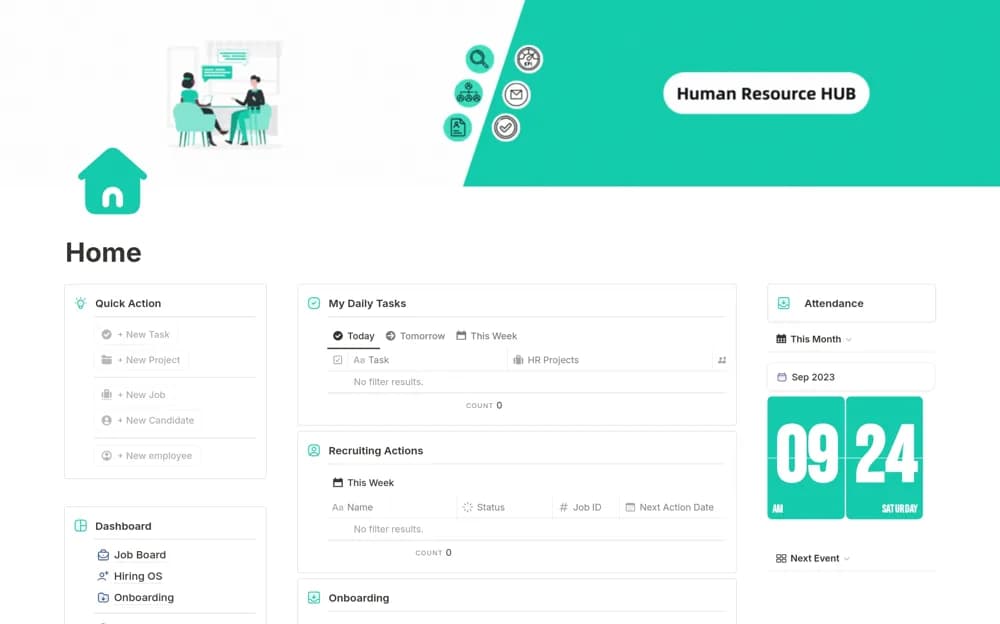
A broad HR dashboard bringing hiring, onboarding, tasks, KPIs, an organization chart, and an office manual together.
What’s included
- Hiring and onboarding structure
- Task and KPI tracking
- Organization chart and office-manual sections
How to use it in practice
Start with the office manual and a routine onboarding process before adding confidential records. Confirm responsibilities, review each shared page’s access, and test a small workflow. Verify any advertised automation in the actual duplicate before changing your established recruitment process.
Set it up in your workspace
- Open the original Notion Marketplace listing and add the template to your chosen workspace while signed in. Keep its example records until you understand how the pages connect.
- Start with the office manual and a routine onboarding process before adding confidential records.
- Try one complete example before adding a large backlog. Check that its views and any calculations show what you expect, then replace the sample content with your own.
Who it suits and what to consider
Small people teams seeking a connected overview of routine HR operations. The source mentions hiring automation without detailing its integrations or configuration; confirm current behavior yourself.