 Paid
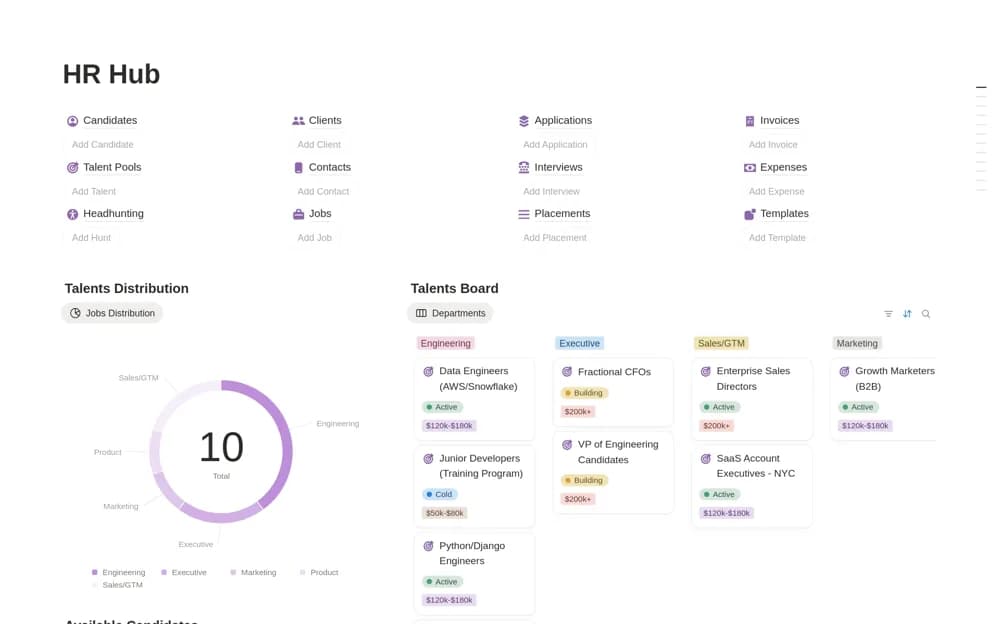
HR Hub
A recruitment hub with a candidate Kanban pipeline, resume and portfolio bank, and interview-feedback scorecards.
Keep hiring activity organized from application to decision. Browse Notion applicant trackers for role context, stages, interviews, feedback, next actions, and controlled access to candidate records.
Showing 1–4 of 4 templates
PaidA recruitment hub with a candidate Kanban pipeline, resume and portfolio bank, and interview-feedback scorecards.
 Paid
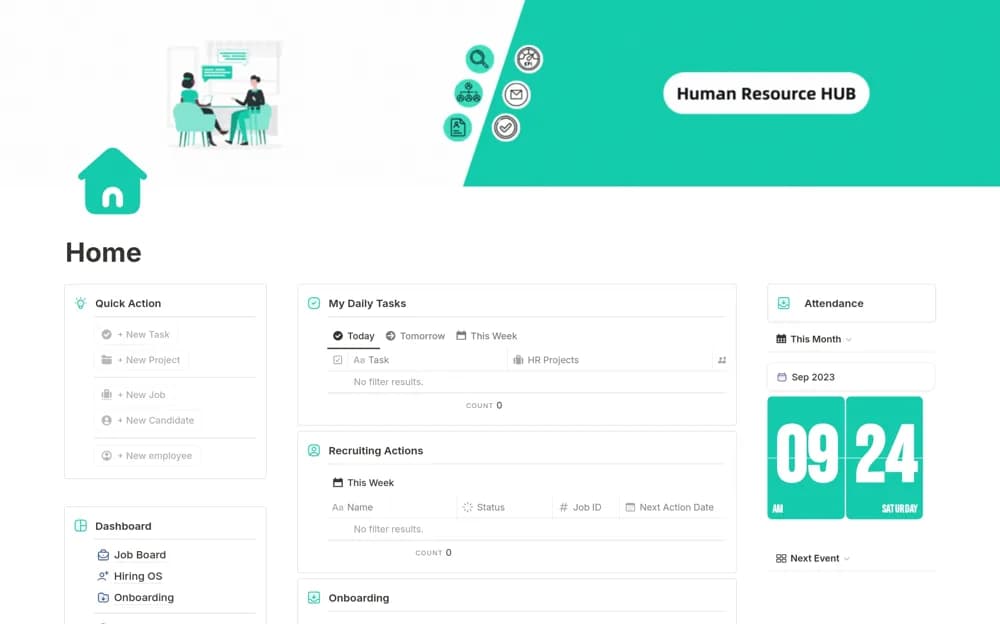
A broad HR dashboard bringing hiring, onboarding, tasks, KPIs, an organization chart, and an office manual together.
 Free
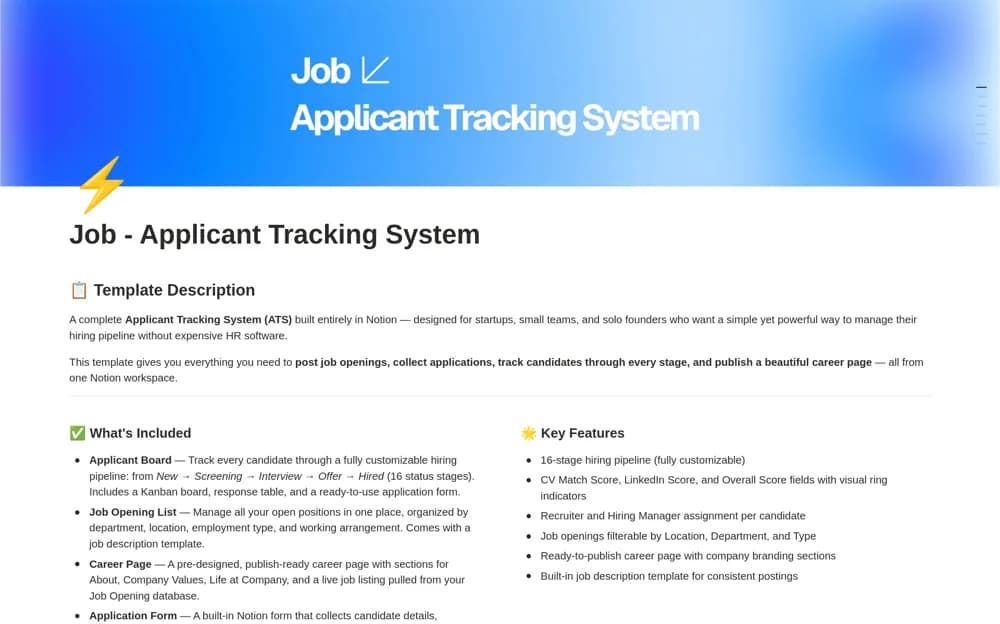
A hiring workspace with an applicant board, application form, job-opening database, and customizable recruitment stages.
 Paid
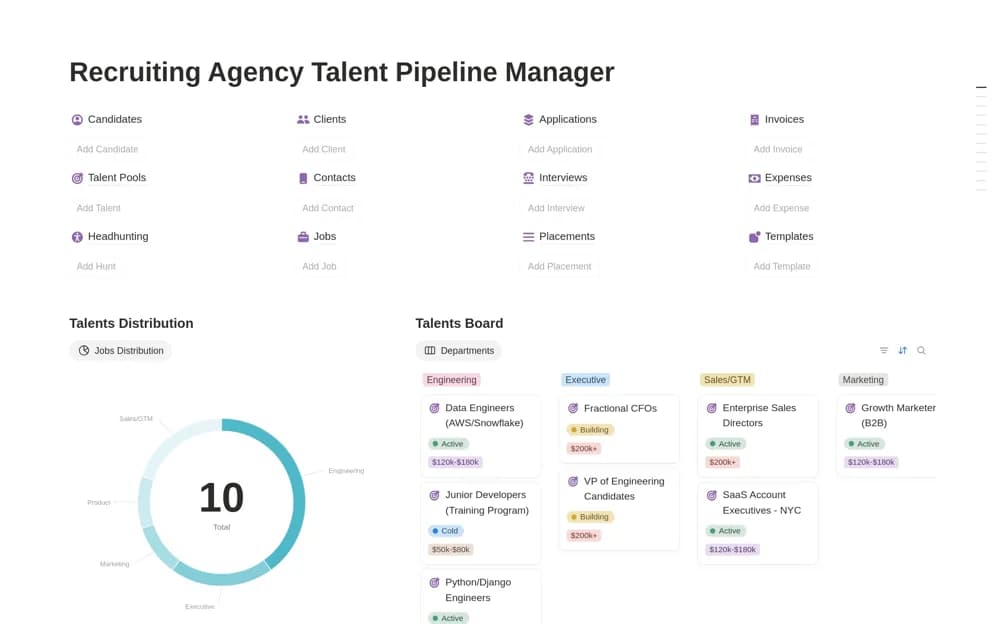
A paid recruiting-agency workspace covering candidates, talent pools, vacancies, applications, interviews, salary expectations, invoices, income, and operating expenses.
Compare the purpose and included features before choosing a workspace.
Small people teams seeking a connected overview of routine HR operations.
Small hiring teams managing openings and candidate progress in Notion.
Independent recruiters and HR managers organizing a lightweight hiring process.
4 working templates from 3 creators: 1 free and 3 paid, with paid options from $25 to $99. Links last checked October 11, 2026.
| Template | Best for | Price | Creator |
|---|---|---|---|
| Human Resource Hub | Small people teams seeking a connected overview of routine HR operations. | $25 | Abdo Karamallah |
| Job Applicant Tracking System (Pro Edition) | Small hiring teams managing openings and candidate progress in Notion. | Free | Hafidz Noor Fauzi |
| HR Hub | Independent recruiters and HR managers organizing a lightweight hiring process. | $99 | Nation4Business |
| Recruiting Agency Talent Pipeline Manager | Recruiting agencies that need talent-network management alongside delivery and fee records. | $99 | Nation4Business |
Set consistent stages for the role and agree who owns each handoff. Keep interview feedback tied to relevant criteria and separate evidence from general impressions. Make the next action and date visible so candidates are not left waiting because a record went stale. Review permissions and retention practices before adding personal information, using the organization’s approved hiring process.
Consistent candidate stages
Role-specific interview criteria
Clear next actions and access
About the directoryChoose stages that match the actual hiring process and define what moves an application between them. Keep the role, next interview, responsible person, and outstanding feedback easy to find. Restrict candidate information to the intended hiring team and review records when a role closes rather than leaving old applications mixed with active work.
Jump straight to any listing in the collection.
A job board presents vacancies and an application route. An applicant tracker organizes applications after they arrive. A template may cover one or both, but publishing a role does not by itself connect incoming applications to your internal records.
It depends on the job you need it to do. Good starting points in this collection include Human Resource Hub (small people teams seeking a connected overview of routine HR operations), Job Applicant Tracking System (Pro Edition) (small hiring teams managing openings and candidate progress in Notion) and HR Hub (independent recruiters and HR managers organizing a lightweight hiring process). Compare the included features below, then try your first choice with a week of real information before moving everything across.
Yes. This collection currently includes 1 listing with a confirmed free creator offer, alongside 3 paid or freemium options. Use the Free filter to compare them. A free version can have different features from a creator’s paid upgrade, so check the original listing and current access terms before adding it to your workspace.