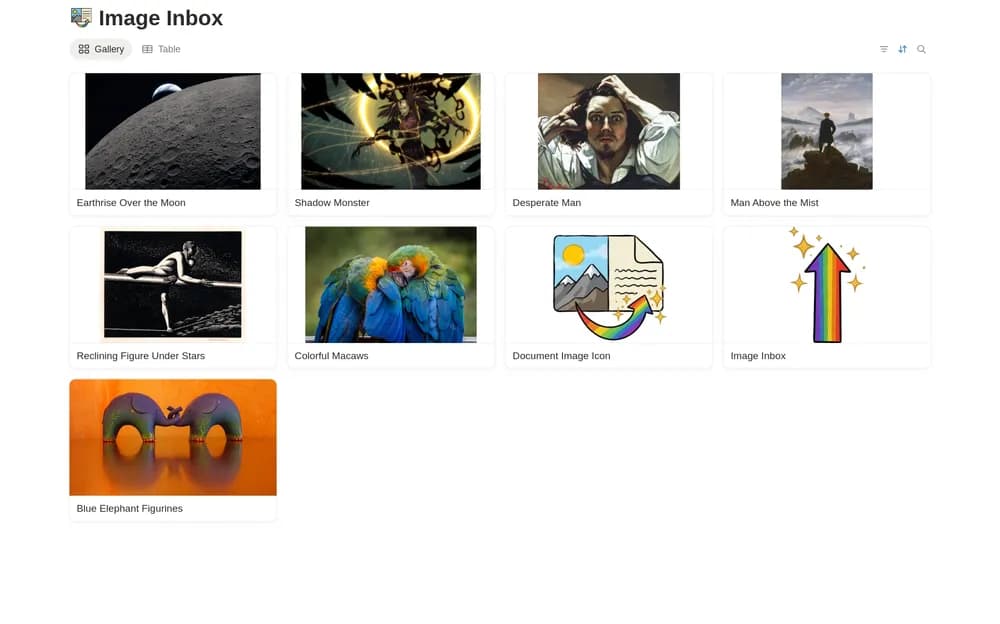
About Image Inbox
An image inbox gives quick capture a separate role from long-term organization. Add a short note about why a reference matters while you still remember. Review the collection regularly so that useful material can move into a project instead of remaining in an endless pile.
What’s included
- An image database with gallery browsing
- A place for photographs, design assets, screenshots, and other references
- Optional Image Scribe integration for AI-generated image titles, descriptions, and metadata
How to use it in practice
Collect a few references for one current project and note why each matters. Review the inbox regularly to move useful images into the right project context. If using Image Scribe, test the generated descriptions against the actual image and correct mistakes before relying on search. Keep the original source where attribution matters.
Set it up in your workspace
- Open the original Notion Marketplace listing and add the template to your chosen workspace while signed in. Keep its example records until you understand how the pages connect.
- Save a few references for one current project. Add a sentence about what you want to learn from each.
- Try one complete example before adding a large backlog. Check that its views and any calculations show what you expect, then replace the sample content with your own.
Who it suits and what to consider
Designers and visual thinkers gathering inspiration. A visual capture tool with an external integration option. Confirm the integration’s current pricing, permissions, and data handling before connecting private images.