About Architect Drawing Revision Register
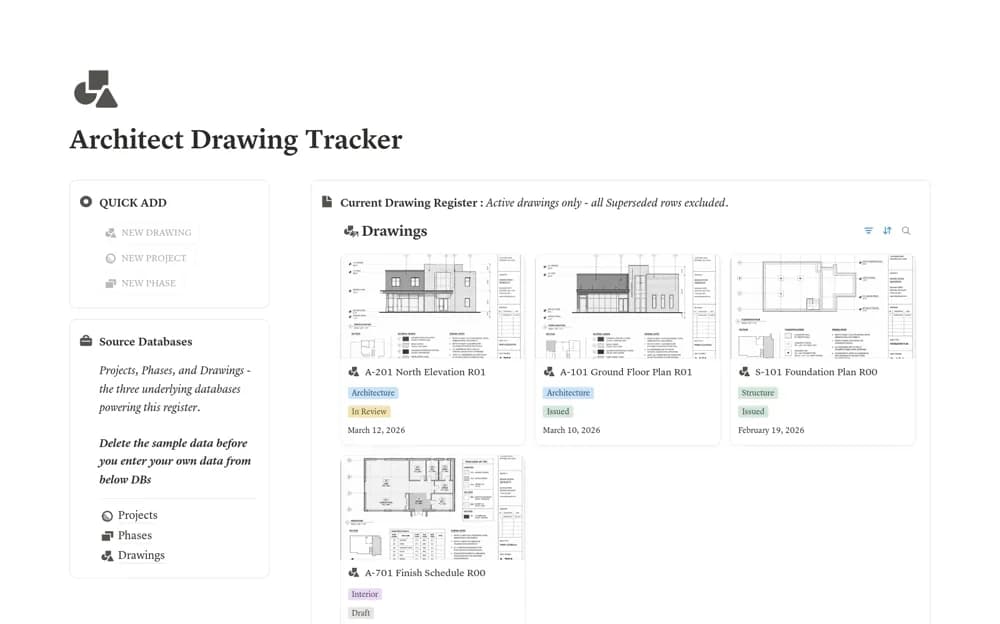
A drawing revision register with separate projects, phases, and drawing records, including current, issued, superseded, historical, and missing-file-link views.
What’s included
- Projects, Phases, and Drawings databases
- Current register and full revision history
- Issued, superseded, and missing-file-link views
How to use it in practice
Enter a sample drawing with its file link, then duplicate the row for a new revision and mark the old one superseded. Check both the current register and full history before using the process on live work. Confirm that the issued file and recorded revision match your studio’s document-control procedure.
Set it up in your workspace
- Open the original Notion Marketplace listing and add the template to your chosen workspace while signed in. Keep its example records until you understand how the pages connect.
- Enter a sample drawing with its file link, then duplicate the row for a new revision and mark the old one superseded.
- Try one complete example before adding a large backlog. Check that its views and any calculations show what you expect, then replace the sample content with your own.
Who it suits and what to consider
Architects and design coordinators who need revision history without cluttering the current drawing list. The register stores revision records and file links. It does not inspect drawing contents, distribute issued files automatically, or replace formal project document control.