About AI Job Description Writer
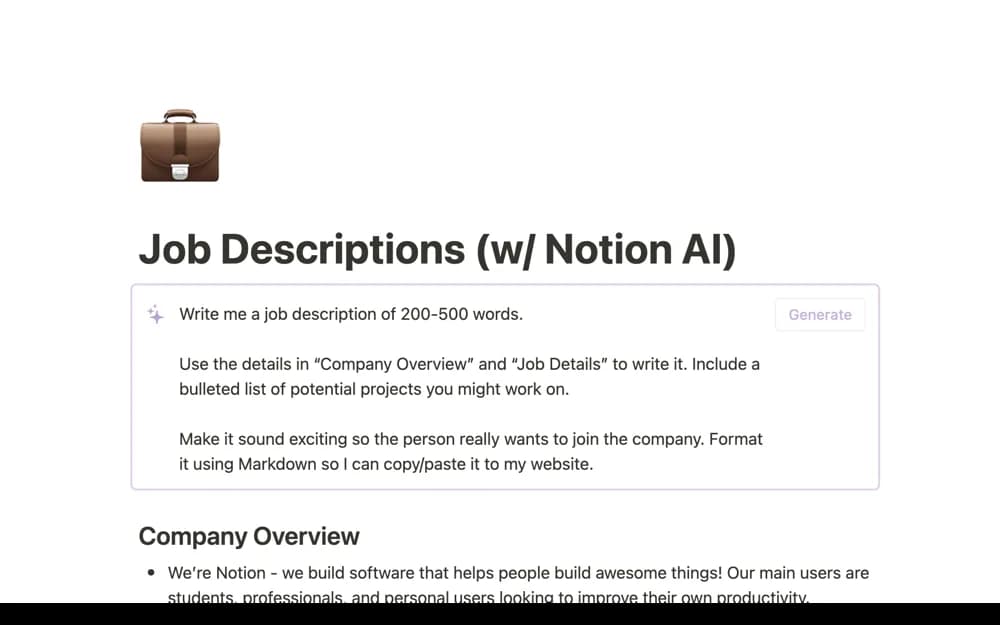
Draft a job description with a Notion AI template that uses your company and role details as the starting context for a hiring document.
What’s included
- Company-context input
- Role-detail input
- Notion AI job-description drafting
How to use it in practice
Write the actual responsibilities, required experience, and company context before asking for a draft. Review the output against the role you are hiring for, remove invented benefits or requirements, and have the hiring owner approve the language before adding it to your careers page.
Set it up in your workspace
- Open the original Notion Marketplace listing and add the template to your chosen workspace while signed in. Keep its example records until you understand how the pages connect.
- Write the actual responsibilities, required experience, and company context before asking for a draft.
- Try one complete example before adding a large backlog. Check that its views and any calculations show what you expect, then replace the sample content with your own.
Who it suits and what to consider
Hiring managers preparing a first draft that an accountable person will review before publication. The template is free to add, but its generation workflow uses Notion AI. Confirm workspace access and review all employment claims yourself.