About Job Applicant Tracking System (Pro Edition)
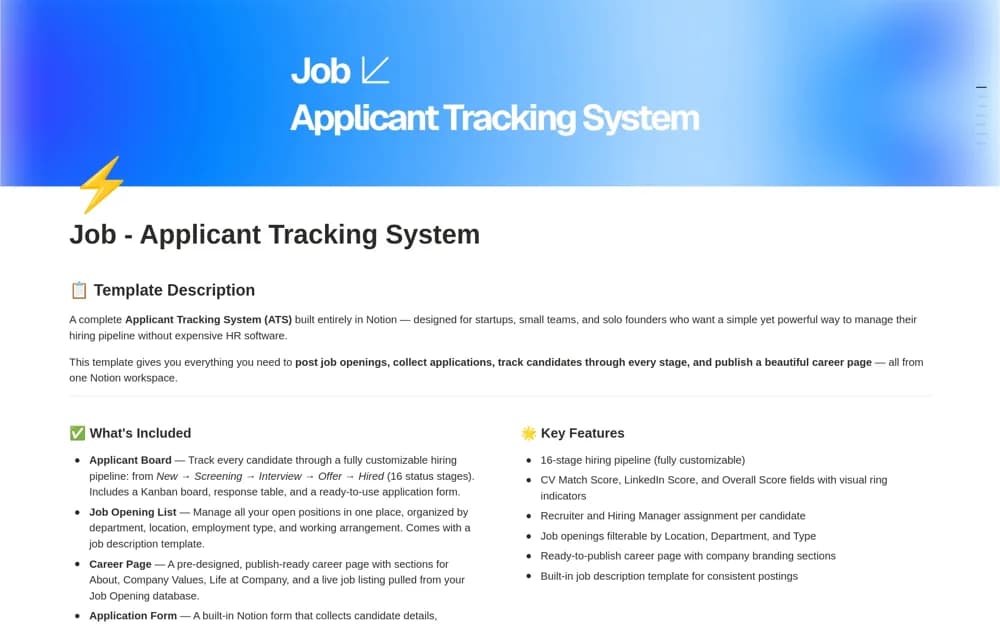
A hiring workspace with an applicant board, application form, job-opening database, and customizable recruitment stages.
What’s included
- Sixteen-stage applicant pipeline with Kanban and response views
- An application form feeding the board
- Job-opening records organized by department, location, and work arrangement
How to use it in practice
Trial the application process with fictional data and check what the form collects. Agree stages and ownership, then review access and retention rules before accepting real applicants. Keep hiring decisions supported by a consistent assessment process rather than pipeline status alone.
Set it up in your workspace
- Open the original Notion Marketplace listing and add the template to your chosen workspace while signed in. Keep its example records until you understand how the pages connect.
- Trial the application process with fictional data and check what the form collects.
- Try one complete example before adding a large backlog. Check that its views and any calculations show what you expect, then replace the sample content with your own.
Who it suits and what to consider
Small hiring teams managing openings and candidate progress in Notion. Candidate data and hiring obligations need appropriate handling; the template does not independently establish compliance.