About Kanban board (w/ Notion AI)
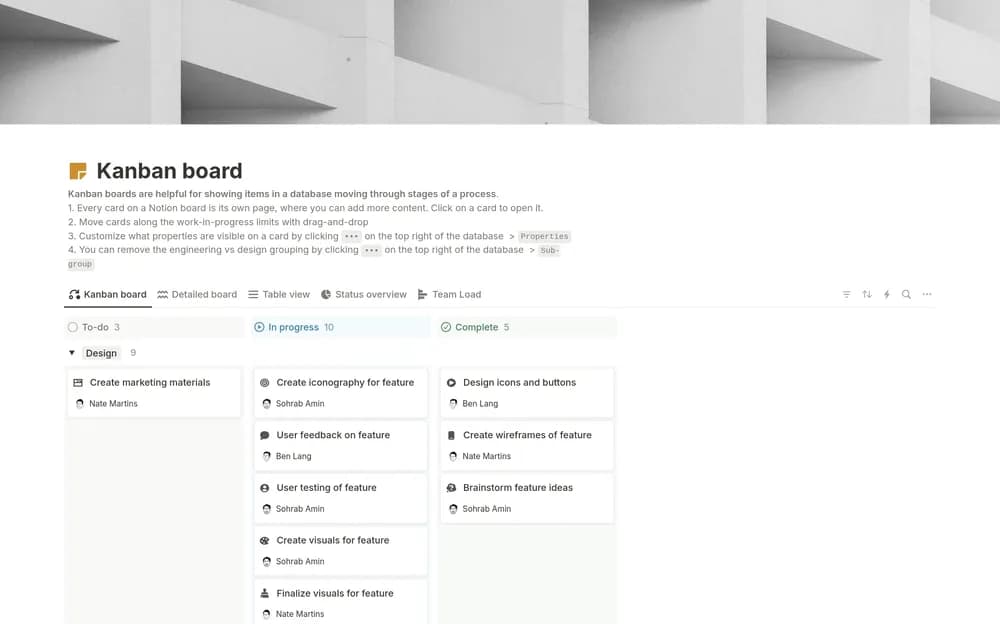
A board makes stalled work easier to notice when the stages have clear meanings. This template comes from Notion and includes an AI-oriented element in its listing. Check the current requirements for AI features; the board’s main value is still a shared view of work.
What’s included
- Board-based organization for projects and tasks
- Visibility across project progress
- Team-member context for design and engineering work
How to use it in practice
Agree on what each board stage means and add a few real tasks. Keep active work limited enough that blocked items remain visible. Review older cards before adding more, and write the next action inside a task when its title is no longer enough. Use the board in a shared review so its stages reflect how the team actually works.
Set it up in your workspace
- Open the original Notion Marketplace listing and add the template to your chosen workspace while signed in. Keep its example records until you understand how the pages connect.
- Add a few real tasks and agree on what each stage means. Limit how much work is active at once.
- Try one complete example before adding a large backlog. Check that its views and any calculations show what you expect, then replace the sample content with your own.
Who it suits and what to consider
Teams and individuals who prefer a board view. A flexible Notion-made starting point for visual work tracking. Check any AI-labeled features and current account requirements separately from the core board layout.